
College softball.
Solutions for D1, D2, D3, NAIA, and JUCO softball. What's available depends on your division and the data you have.
What college softball programs get.
| D1 | D2 | D3 | NAIA | JUCO | |
|---|---|---|---|---|---|
| Base package | |||||
| 643 Studio | ✓ | ✓ | ✓ | ✓ | ✓ |
| Interactive Stats | ✓ | ✓ | ✓ | ✓ | |
| Traditional Tools | ✓ | ✓ | ✓ | ✓ | |
| Pitch Tracking on Mobile and Web | ✓ | ✓ | ✓ | ✓ | ✓ |
| 643 Mobile App | ✓ | ✓ | ✓ | ✓ | ✓ |
| 643 Player Tools App | ✓ | ✓ | ✓ | ✓ | ✓ |
| Add-ons | |||||
| Portal HQ | + | + | + | ||
| Ace AI | + | + | + | + | + |
| Data integrations (add-ons) | |||||
| Synergy | + | + | + | + | + |
| Trackman | + | + | + | + | + |
| AWRE | + | + | + | + | + |
643 subscriptions run from the time of sign-up through the end of the season. Programs that add a data integration must also be an active user of that data partner.
Build your templates once. Reuse them all year.
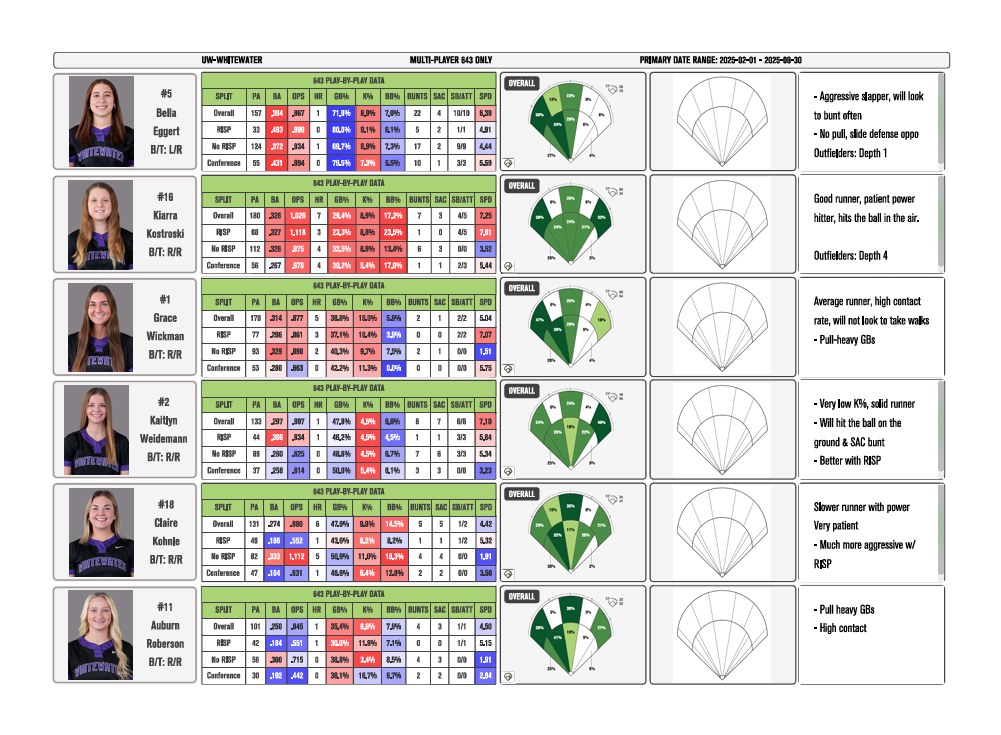
Design custom report, table, and player page templates around the data sources and layouts your staff uses, then generate them for any player or team. Print reports and tables ready for the dugout, explore data on player pages, and manage your staff's saved notes and custom rosters, all in 643 Studio.
- Custom reports, tables, and player pages
- Saved notes and custom rosters
- Print-ready output for the dugout
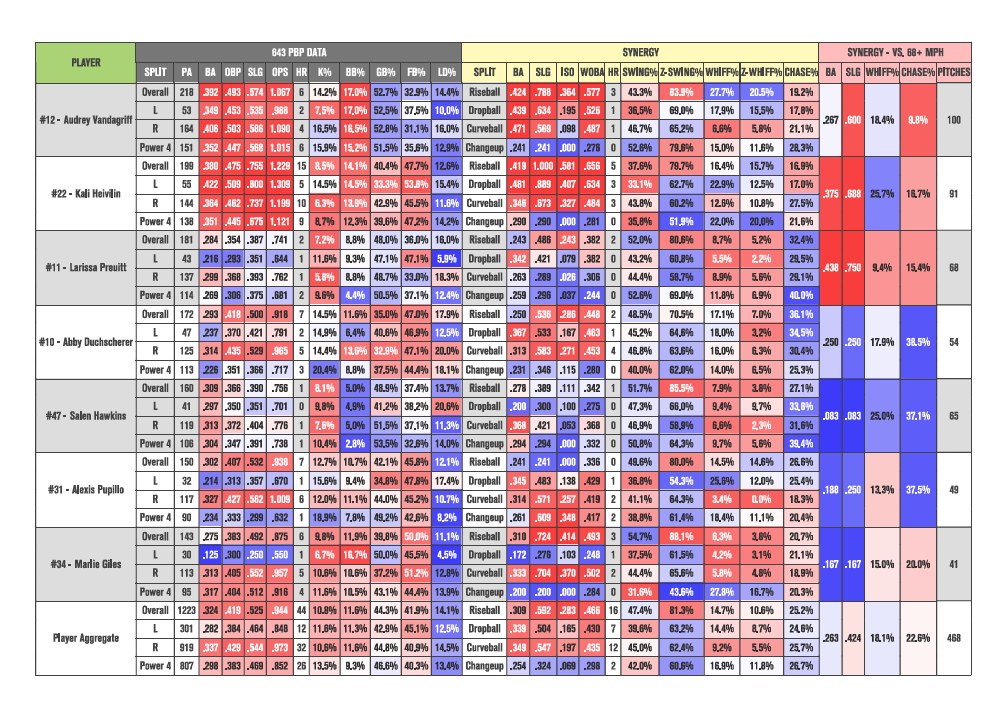
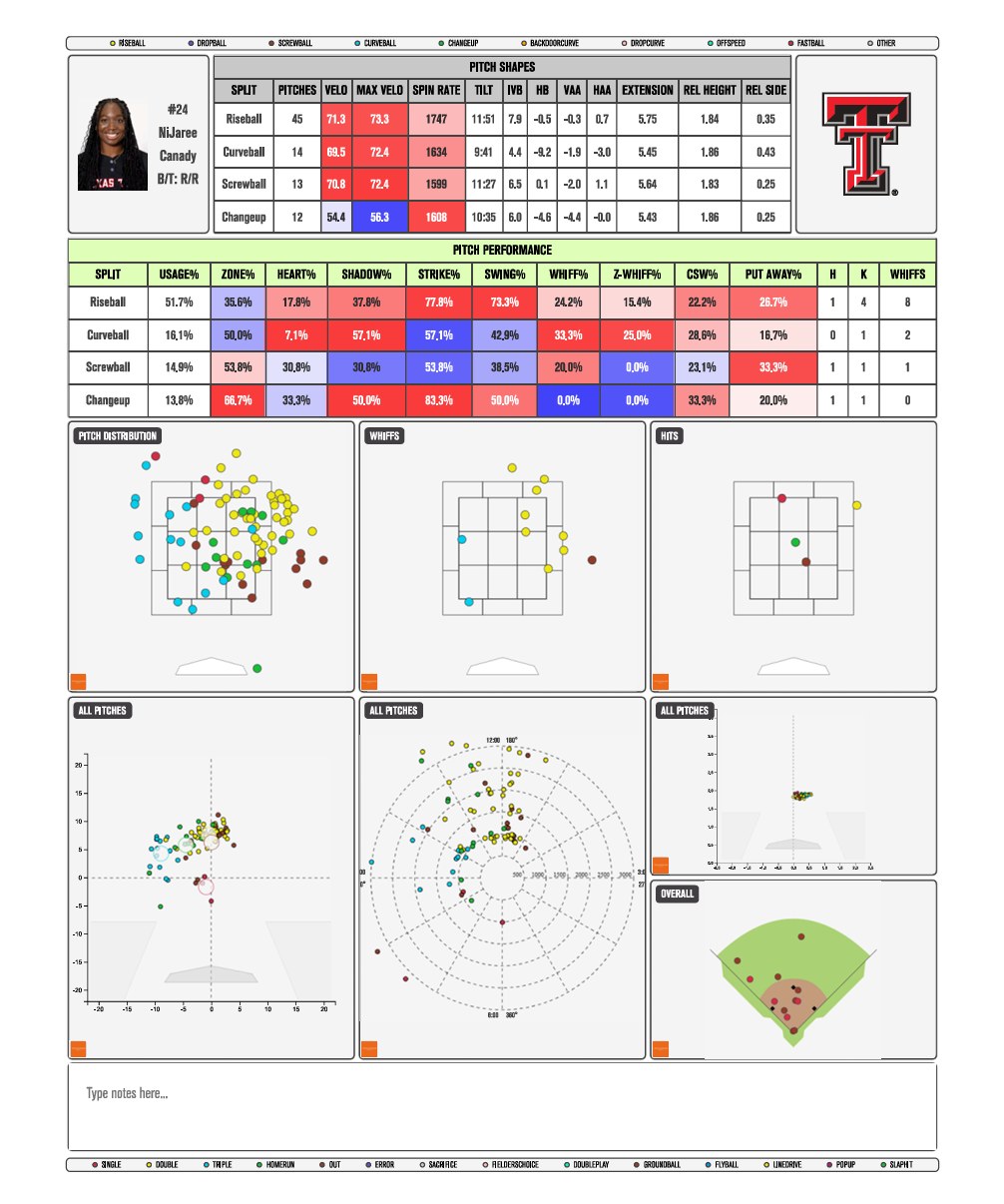
Integrate your existing tech stack directly into the 643 Platform.
Get more out of your Trackman, Synergy, and AWRE subscriptions by combining their data in 643's interactive tools and printable reports. Choose an integration to see how it works in 643.



Programs that add a data integration need an active account with that data partner.
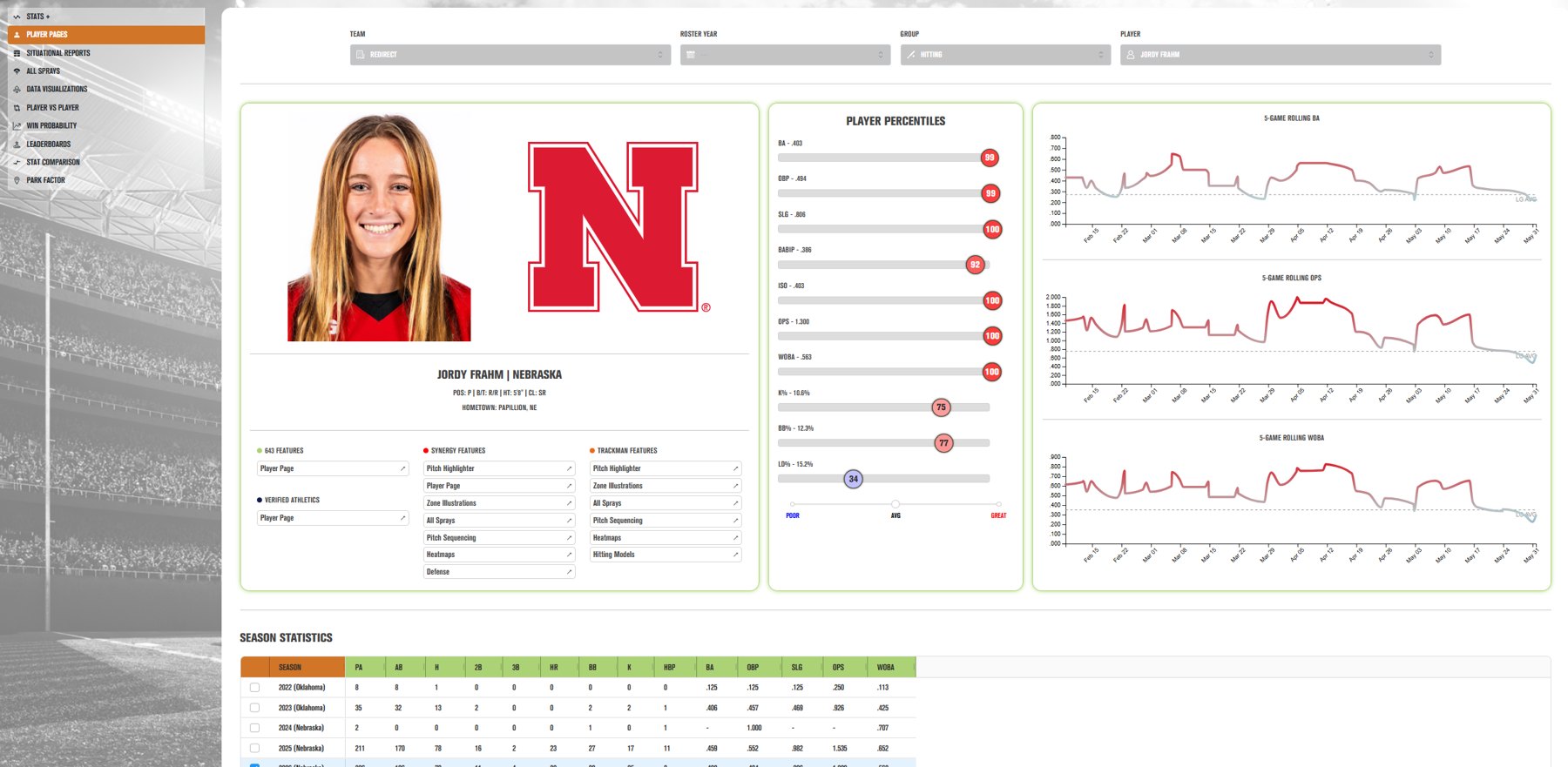
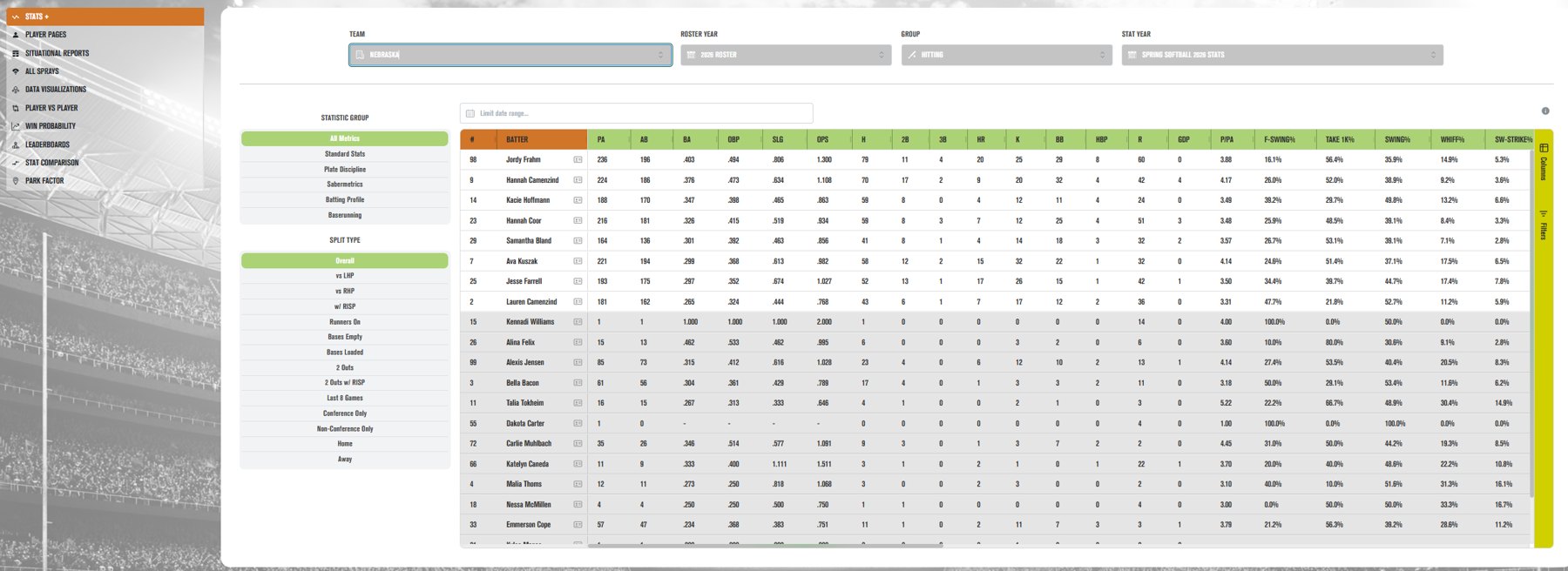
Every team and player, sortable.
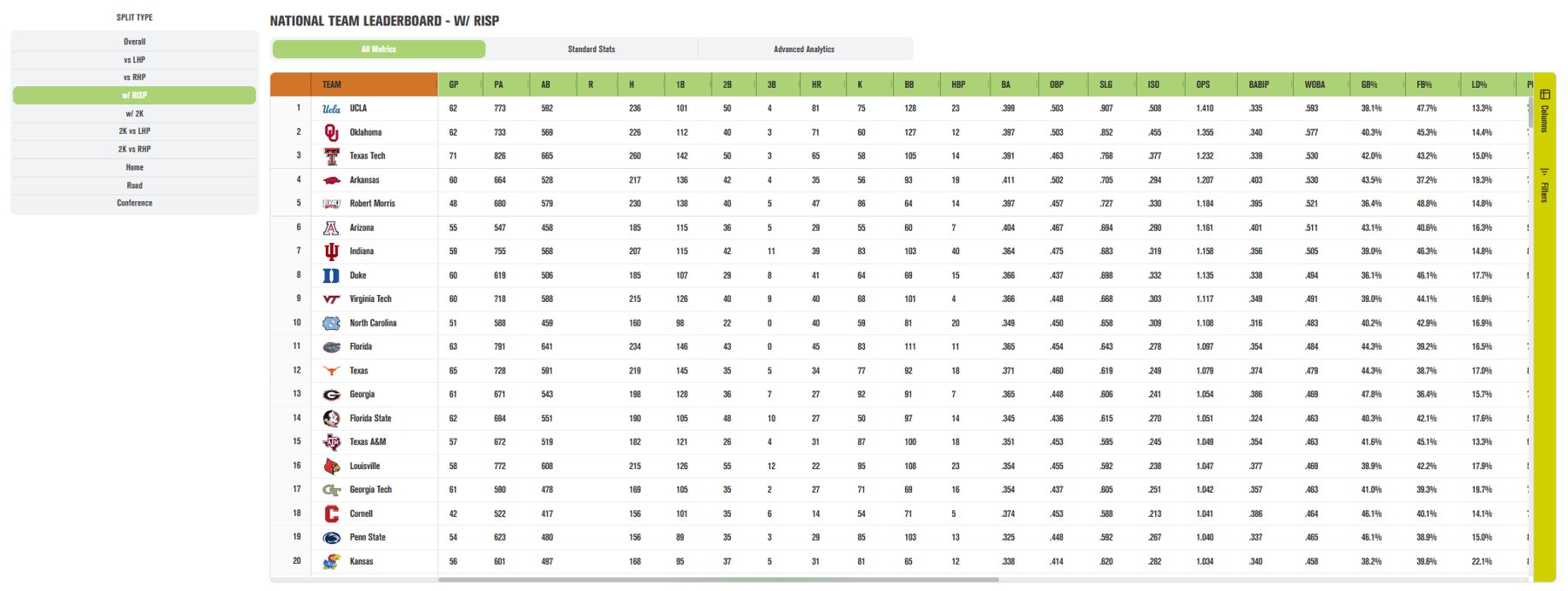
Explore play-by-play data through team stat pages, player pages, and leaderboards. Sort, filter, and apply splits to compare any players and teams.
- Player pages and leaderboards
- Splits: pitchers vs. RHH and LHH, hitters vs. RHP and LHP
- Built from play-by-play
The scouting report, without the copy and paste.
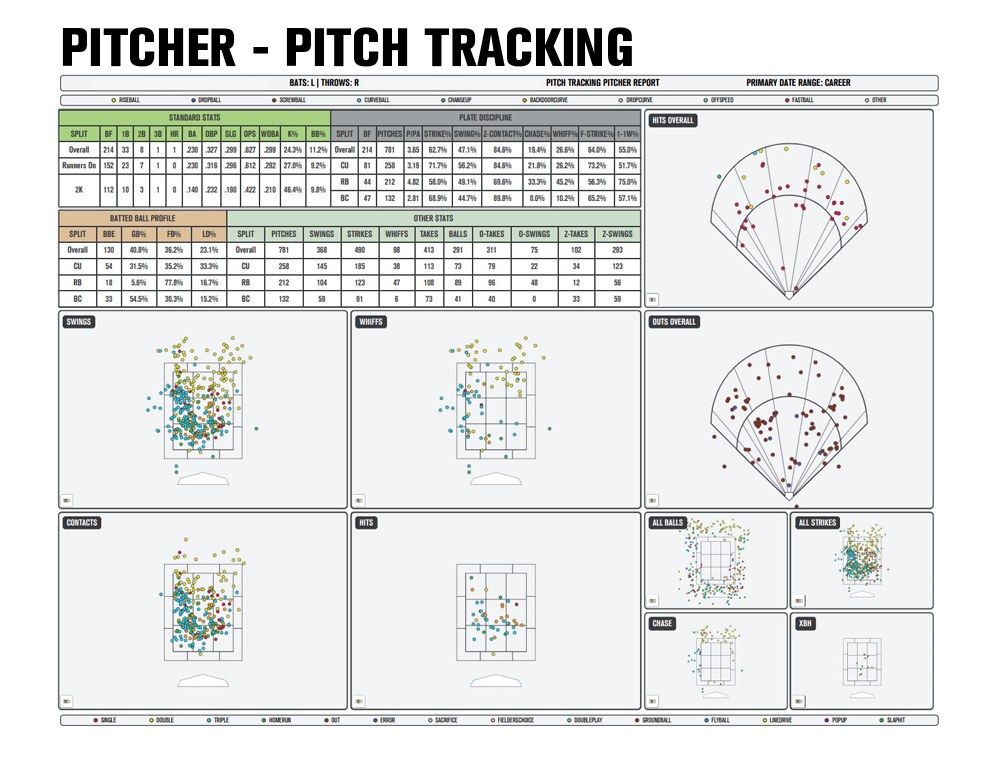
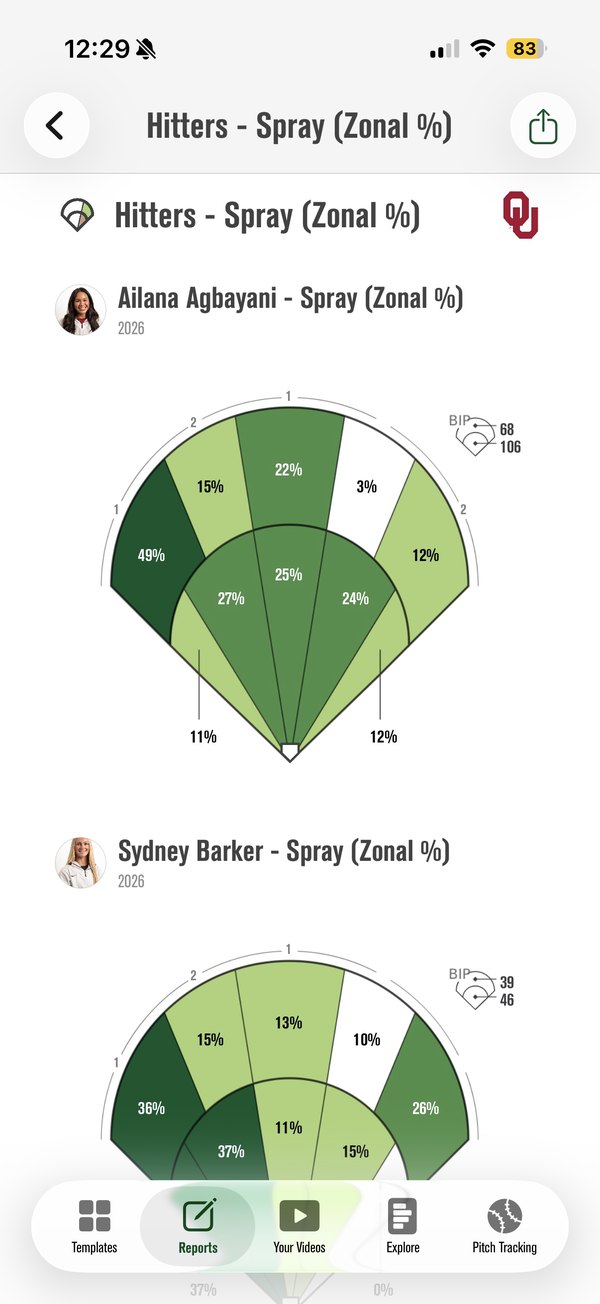
Generate opponent and self-scouting reports with spray charts in one click, export stat books to Excel, and turn your opponent's lineup into pocket cards for your players.
- Spray chart reports in one click
- Stat books exported to Excel
- Pocket cards from your opponent's lineup

Chart your own games.
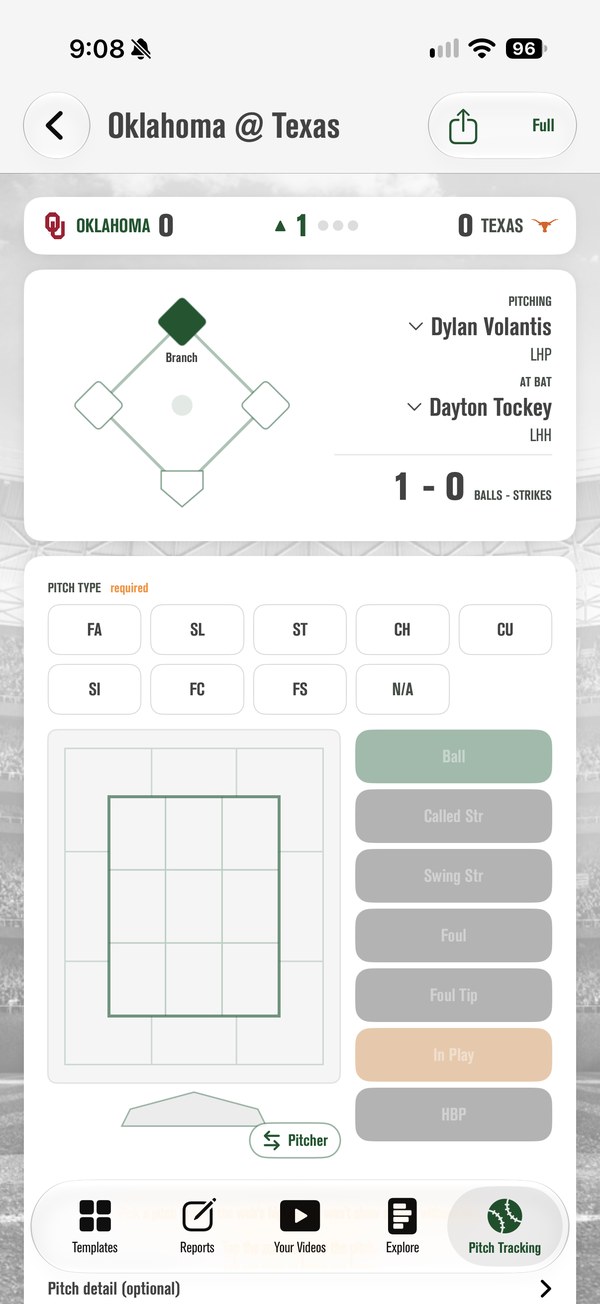
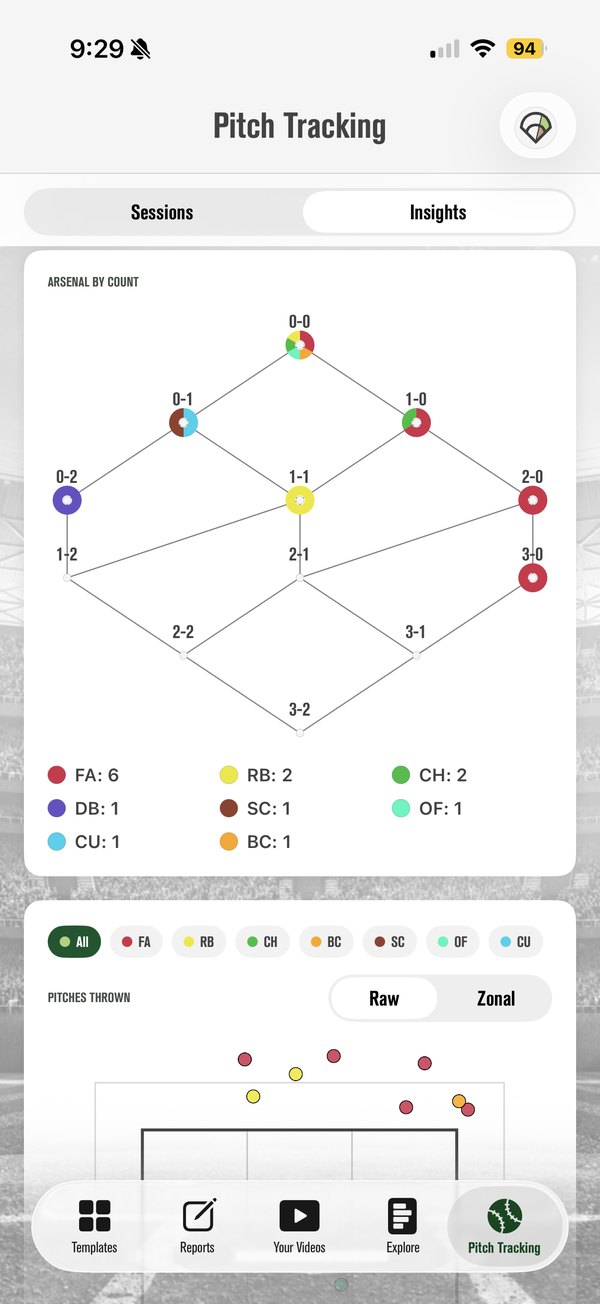
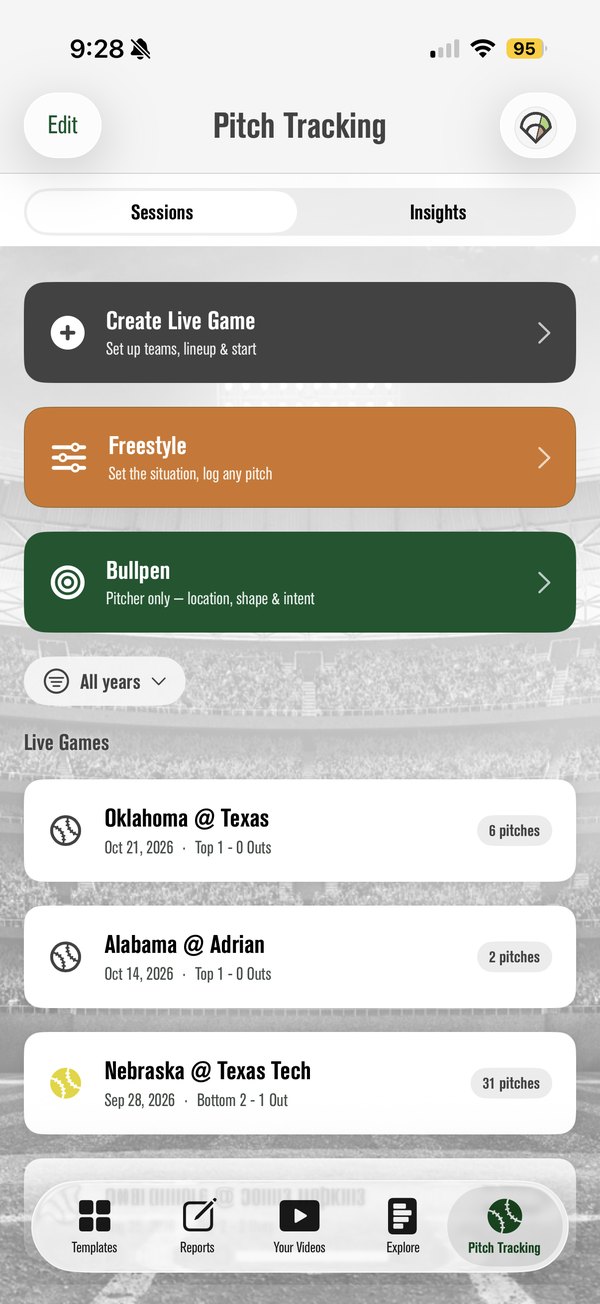
Log games, bullpens, and intrasquads on your phone in the 643 College Mobile Platform. Then use that data in your custom reports on the 643 web platform.
- Log on mobile: Live Game, Bullpen, and Freestyle modes
- Report on the web: pitch tracking data in your custom reports
- No ball-tracking hardware needed
Take 643 anywhere.

643 College Mobile Platform
Build and view mobile reports, explore team and player stats, and chart games, bullpens, and intrasquads with built-in pitch tracking.
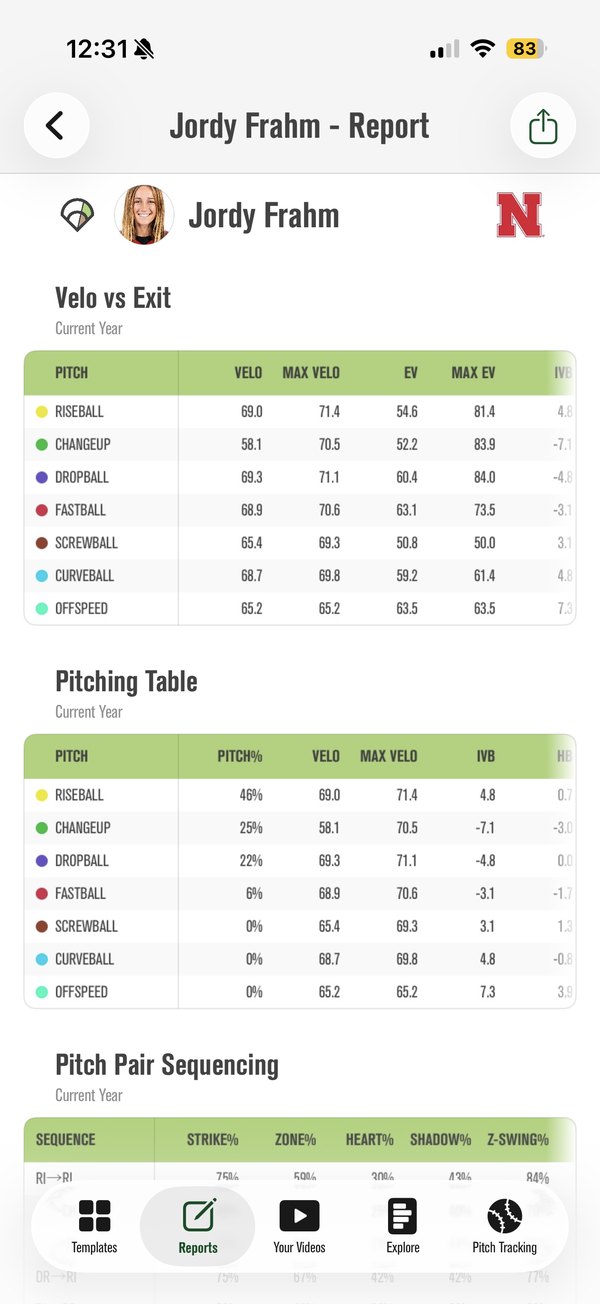
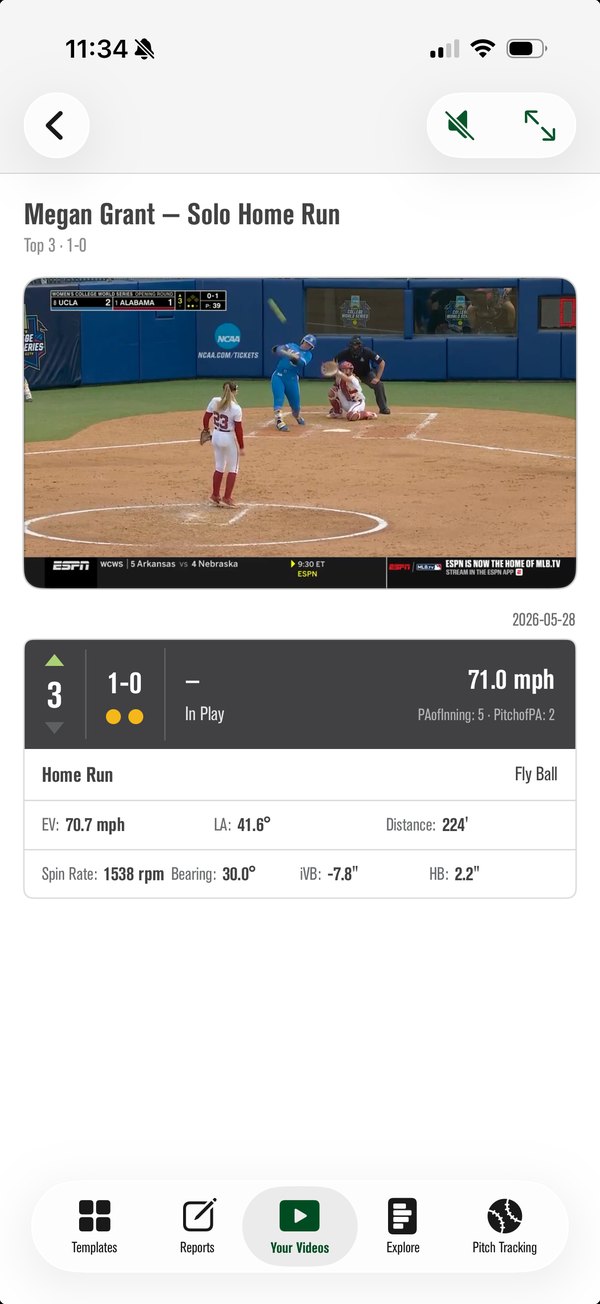

643 Player Tools
Your players see their mobile reports and video playlists on their own phones.
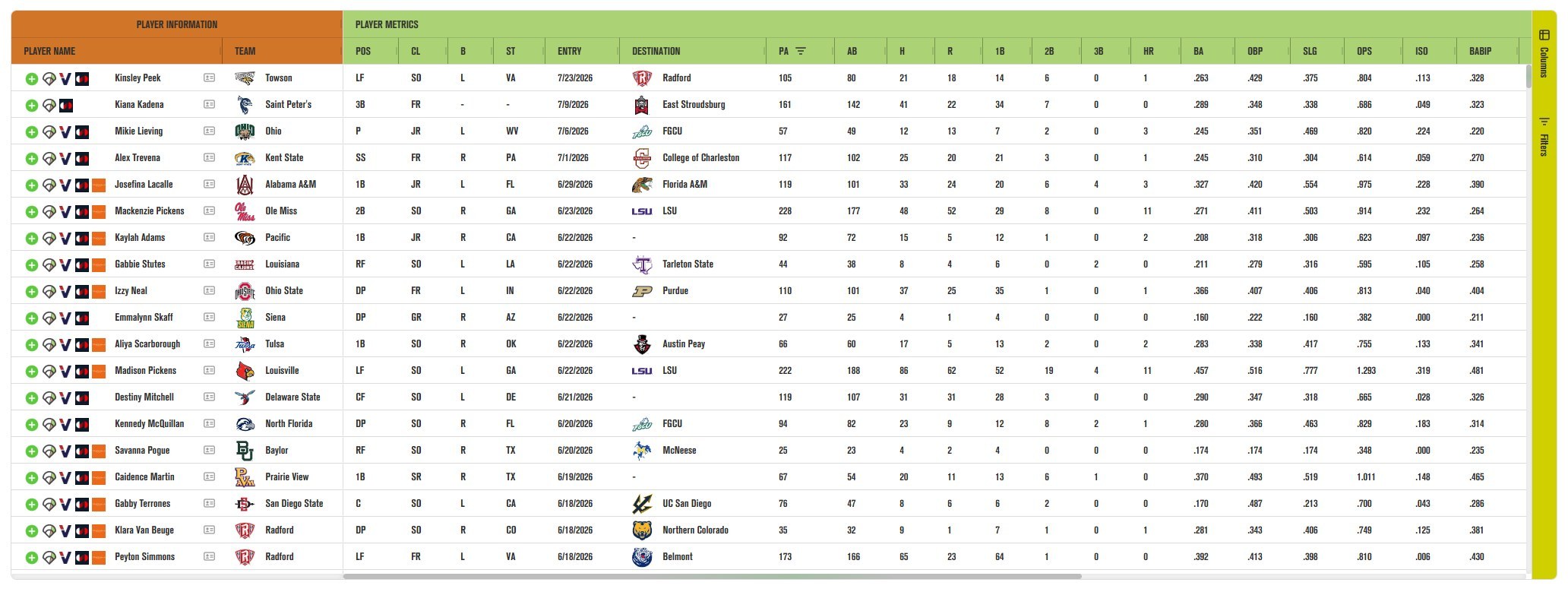
The transfer portal on one board.
See every transfer portal player on hitter and pitcher boards, with portal info next to season and career stats. Filter by division, handedness, class, position, region, and metric ranges, open any player's full history, and add targets to a custom roster. Synergy and Trackman data is included based on your integrations. Available to NCAA programs only.
- Hitter and pitcher boards
- Filter by division, handedness, class, position, region, and metric ranges
- NCAA programs only
Ask Ace about your data.
Ace AI is an AI chat that answers questions about your data and takes you straight to the right page.
Find your division.
The base package includes Interactive Stats, 643 Studio, Traditional Tools, and Pitch Tracking. Build custom reports, tables, and player pages in 643 Studio, then save and reuse your templates across teams and players. Add Synergy, Trackman, and AWRE integrations to bring your existing data into 643, with Portal HQ and Ace AI also available as add-ons.
- 643 Studio
- Interactive Stats
- Traditional Tools
- Pitch Tracking on Mobile and Web
- 643 Mobile App
- 643 Player Tools App
- Portal HQ
- Ace AI
- Synergy
- Trackman
- AWRE
"643 brings all of our information together in one place, including valuable data and video from Trackman and Synergy, allowing our staff to turn a tremendous amount of information into something meaningful and actionable. What really sets 643 apart is 643 Studio's flexibility. We're not limited to someone else's idea of how we should use data. We can build custom tools and processes around what matters most to our program. With the addition of Ace AI, accessing information and finding answers has become even easier. Ultimately, 643 allows our coaches to spend less time organizing and searching for information and more time using it to help our players get better."

Explore available play-by-play data through Interactive Stats, build custom reports and player pages in 643 Studio, generate spray chart reports, stat books, and pocket cards with Traditional Tools, and track your own data with Pitch Tracking. Save templates to reuse across teams and players, and organize players from different teams with Custom Rosters. Synergy and AWRE integrations are available as add-ons, with Synergy a particularly popular option. Portal HQ and Ace AI are also available as add-ons.
- 643 Studio
- Interactive Stats
- Traditional Tools
- Pitch Tracking on Mobile and Web
- 643 Mobile App
- 643 Player Tools App
- Portal HQ
- Ace AI
- Synergy
- Trackman
- AWRE
"The integration of 643 with Trackman has changed how we approach player development. Coaches can review performance data directly within the platform, giving us a clearer picture of each athlete's progress. Each coach is able to maintain their own report templates in 643 Studio, so we can track individual development goals and adjust training needs as required. Overall, 643 has allowed our staff to spend significantly less time tracking down information, so we can focus more on player development and long-term growth."
Use Interactive Stats to explore available play-by-play data, with 643 Studio, Traditional Tools, and Pitch Tracking included in the base package. Create reusable reports, tables, and player pages, organize players across teams with Custom Rosters, and keep player-specific notes available in your reports. Synergy and AWRE are available as optional data integrations. Portal HQ and Ace AI are also available as add-ons.
- 643 Studio
- Interactive Stats
- Traditional Tools
- Pitch Tracking on Mobile and Web
- 643 Mobile App
- 643 Player Tools App
- Portal HQ
- Ace AI
- Synergy
- Trackman
- AWRE
The base package includes Interactive Stats, 643 Studio, Traditional Tools, and Pitch Tracking. Build custom reports, tables, and player pages, save templates to reuse, and use Custom Rosters and Saved Notes to keep player information organized. Synergy and AWRE integrations are available as add-ons. Ace AI is also available as an add-on.
- 643 Studio
- Interactive Stats
- Traditional Tools
- Pitch Tracking on Mobile and Web
- 643 Mobile App
- 643 Player Tools App
- Ace AI
- Synergy
- Trackman
- AWRE
643 Studio and Pitch Tracking are included in the base package, giving your staff a way to collect, organize, and work with your own data. Build custom reports, tables, and player pages, save templates to reuse across players and teams, and use Custom Rosters and Saved Notes to keep your information organized. Synergy and AWRE are available as optional data integrations.
- 643 Studio
- Pitch Tracking on Mobile and Web
- 643 Mobile App
- 643 Player Tools App
- Ace AI
- Synergy
- Trackman
- AWRE

“643 is an industry leader in softball analytics and they do not stop there. I have used 643 for four years and at multiple institutions simply because they are the best. The time saved and information gained is an invaluable resource for our program.”
See what 643 looks like for your program.
Tell us your level of play and what data you're working with. We'll help you find the 643 solutions that fit your program.