
643 Studio
Build and generate custom reports, custom tables, and custom player pages combining every data source your program has in one place.
All your data sources in one report.
643 Studio is where your staff designs and runs custom reports, custom tables, and custom player pages, and keeps your saved notes and custom rosters. Everything is built from play-by-play, Pitch Tracking, and integration data from Trackman, Synergy, and AWRE.
Each tool comes in two parts: you design a template once, then run it for any team or player all season. Design custom reports in Report Designer and run them in Team Reporting. Design custom tables in Table Designer and run them in Table Reporting. Design custom player pages in Player Page Designer and open them in Player Pages. Create, edit, and view notes in Saved Notes, and rosters in Custom Rosters.
See what you can build.
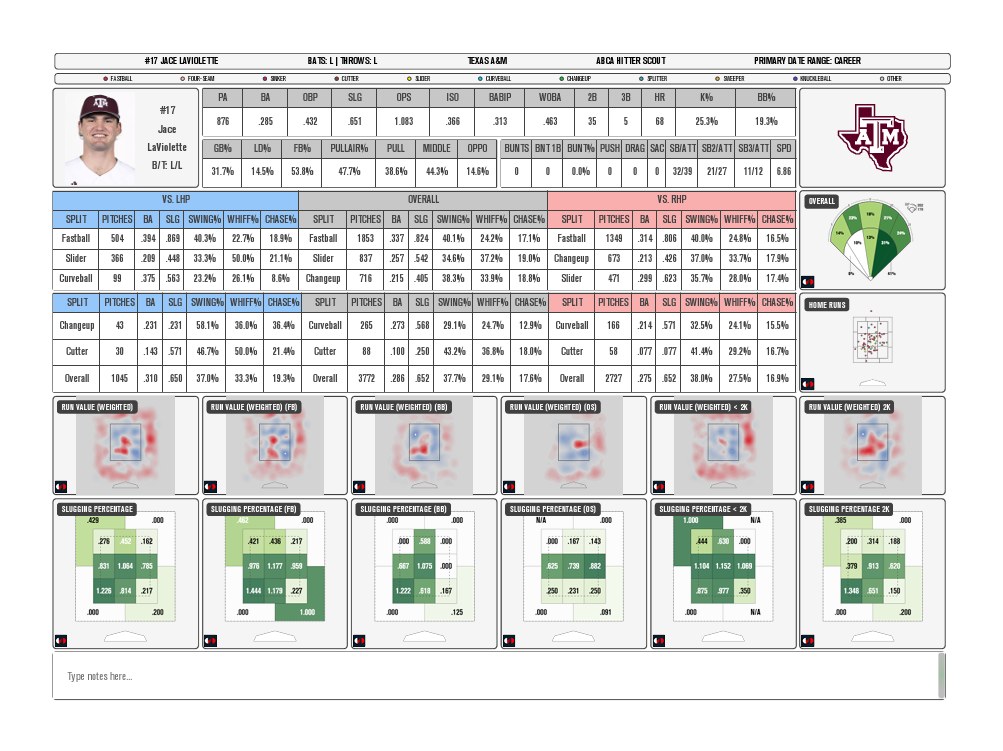
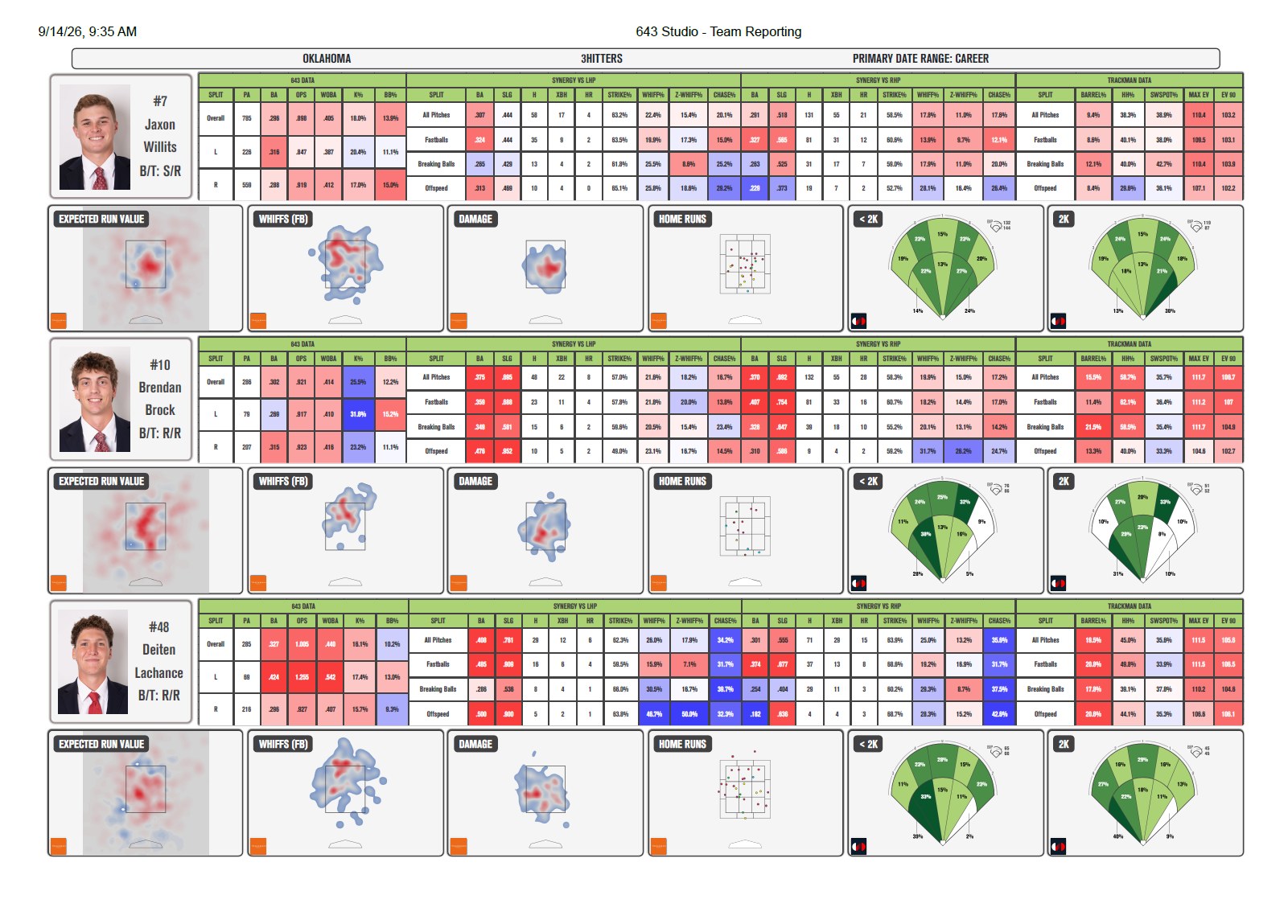
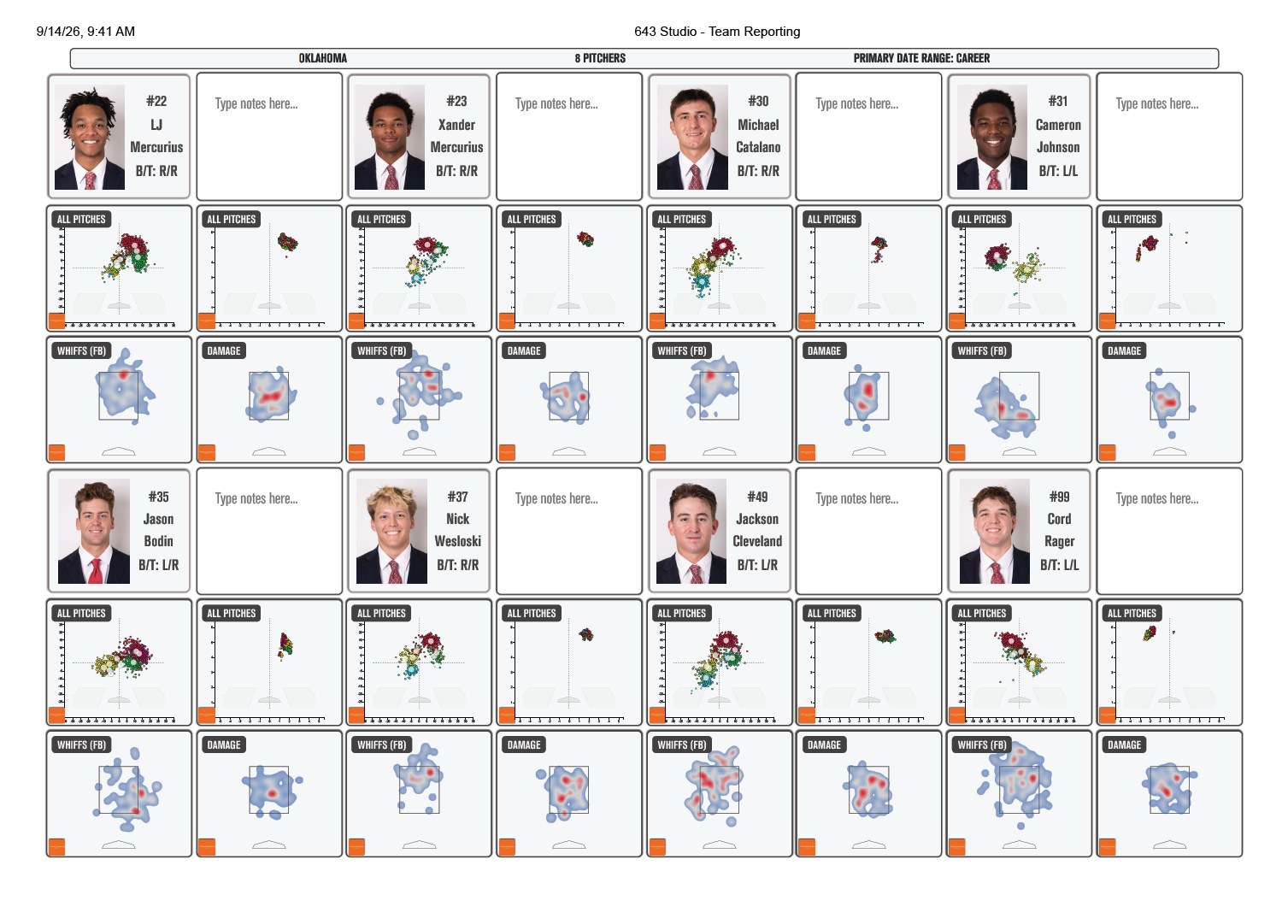
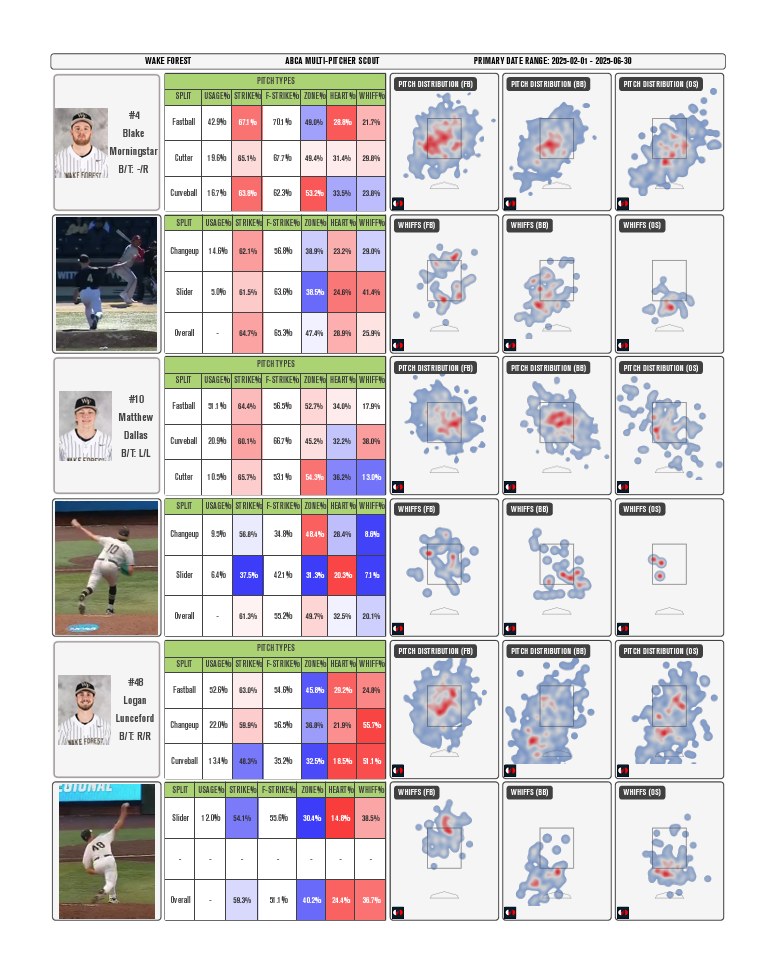
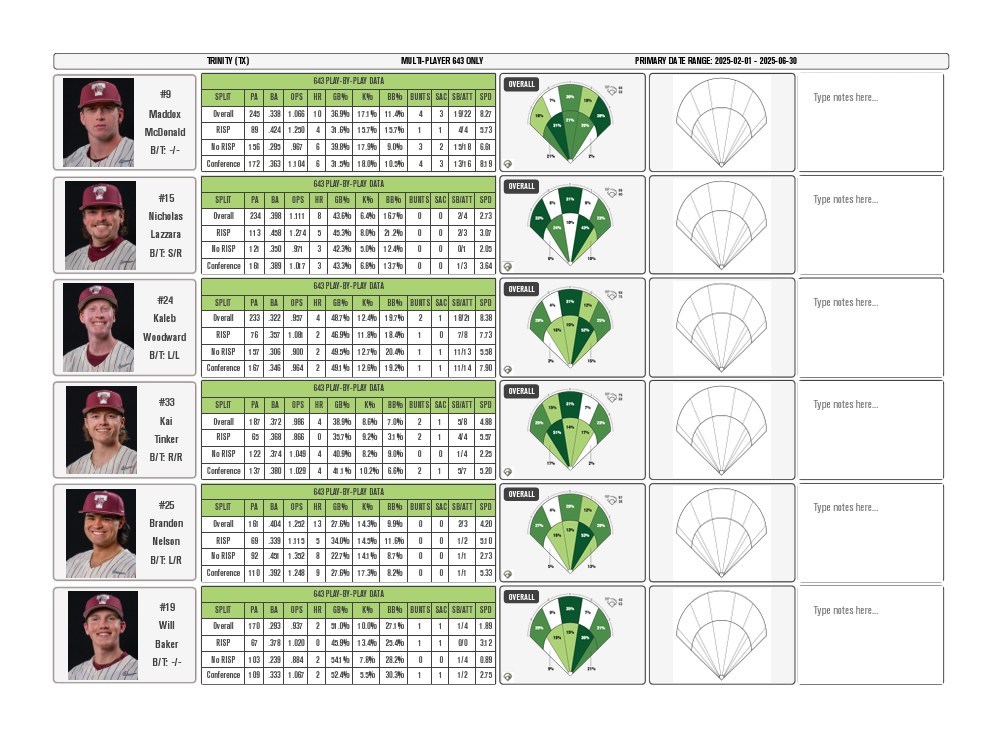
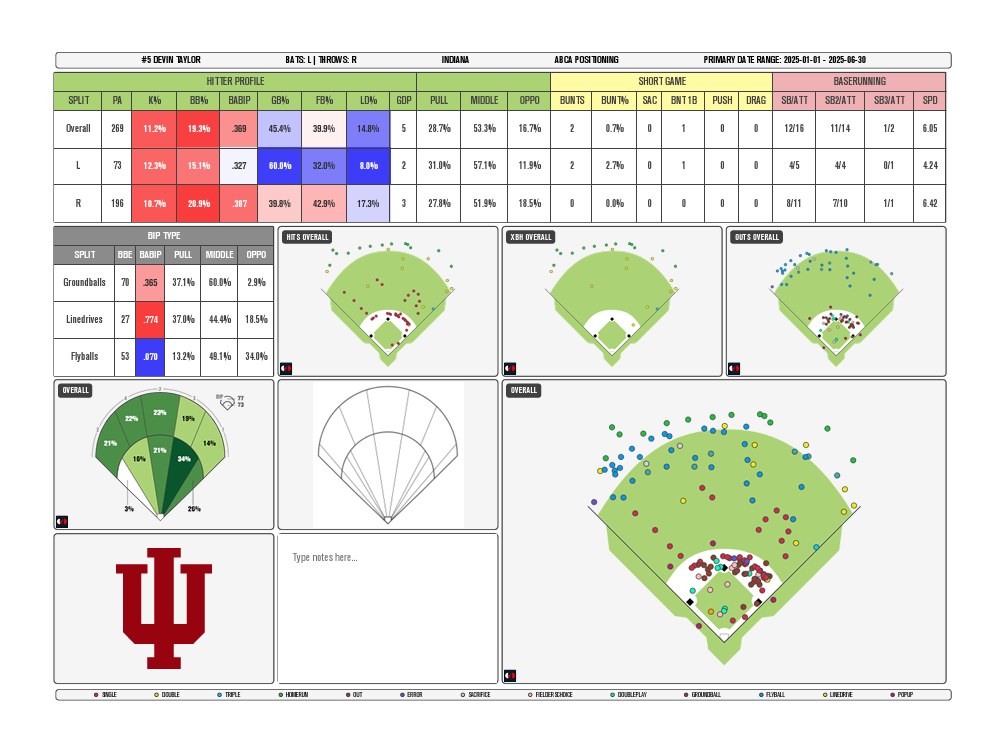
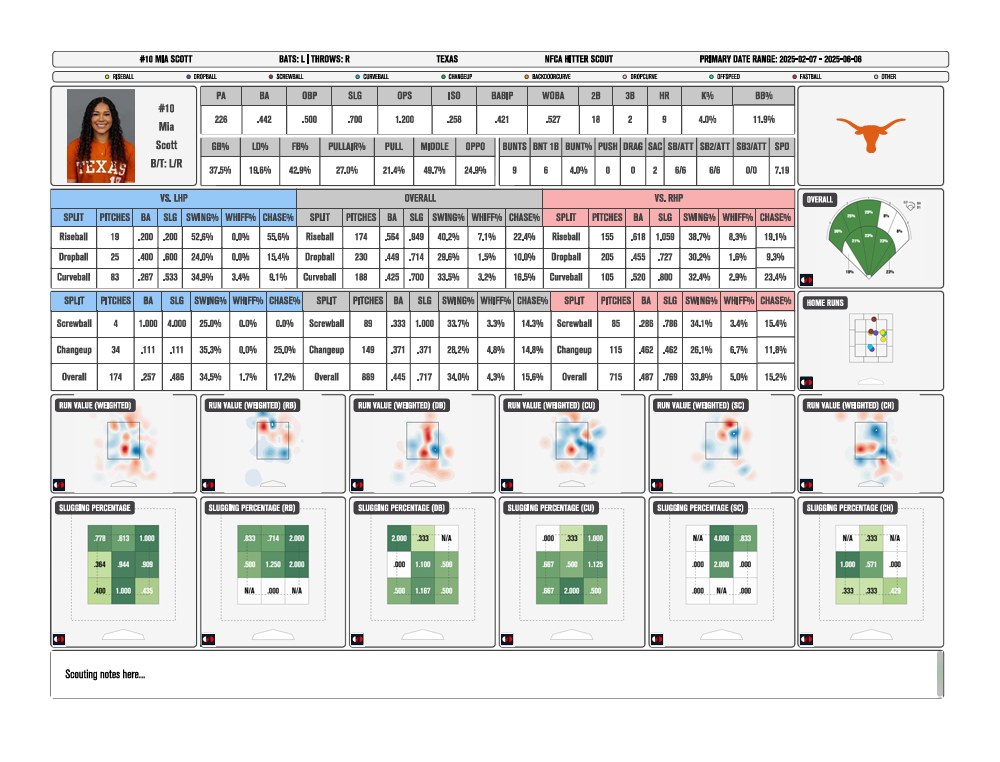
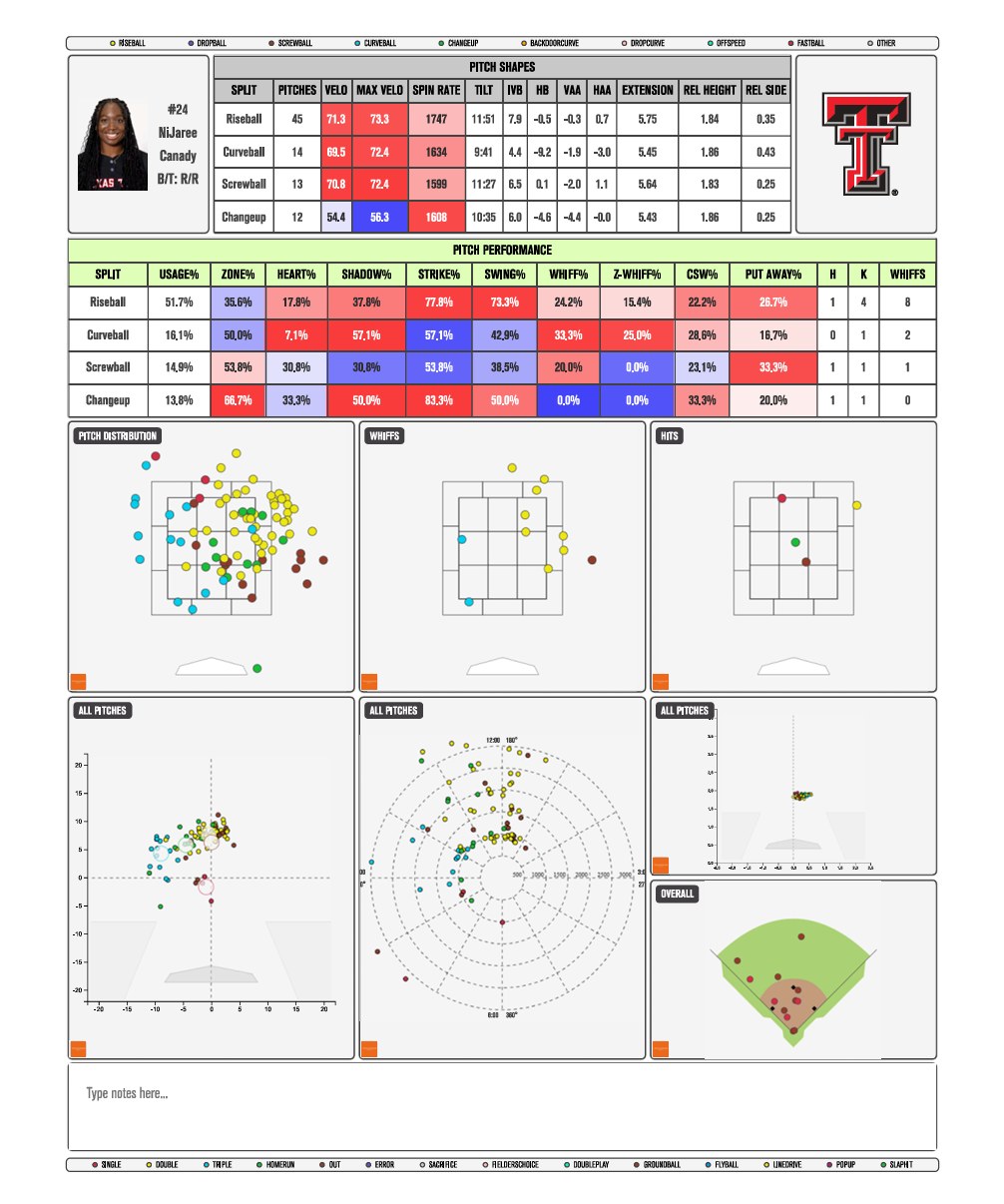
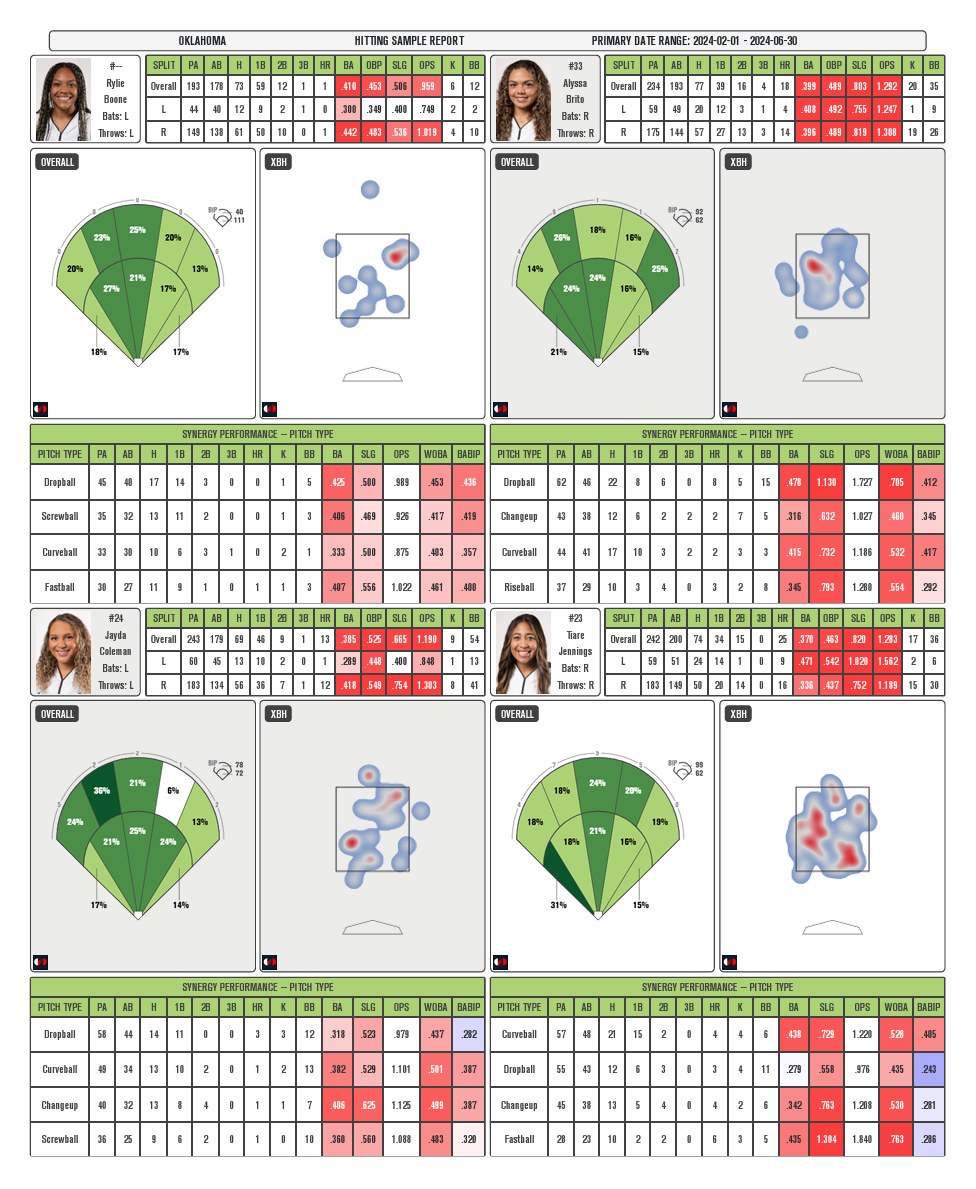
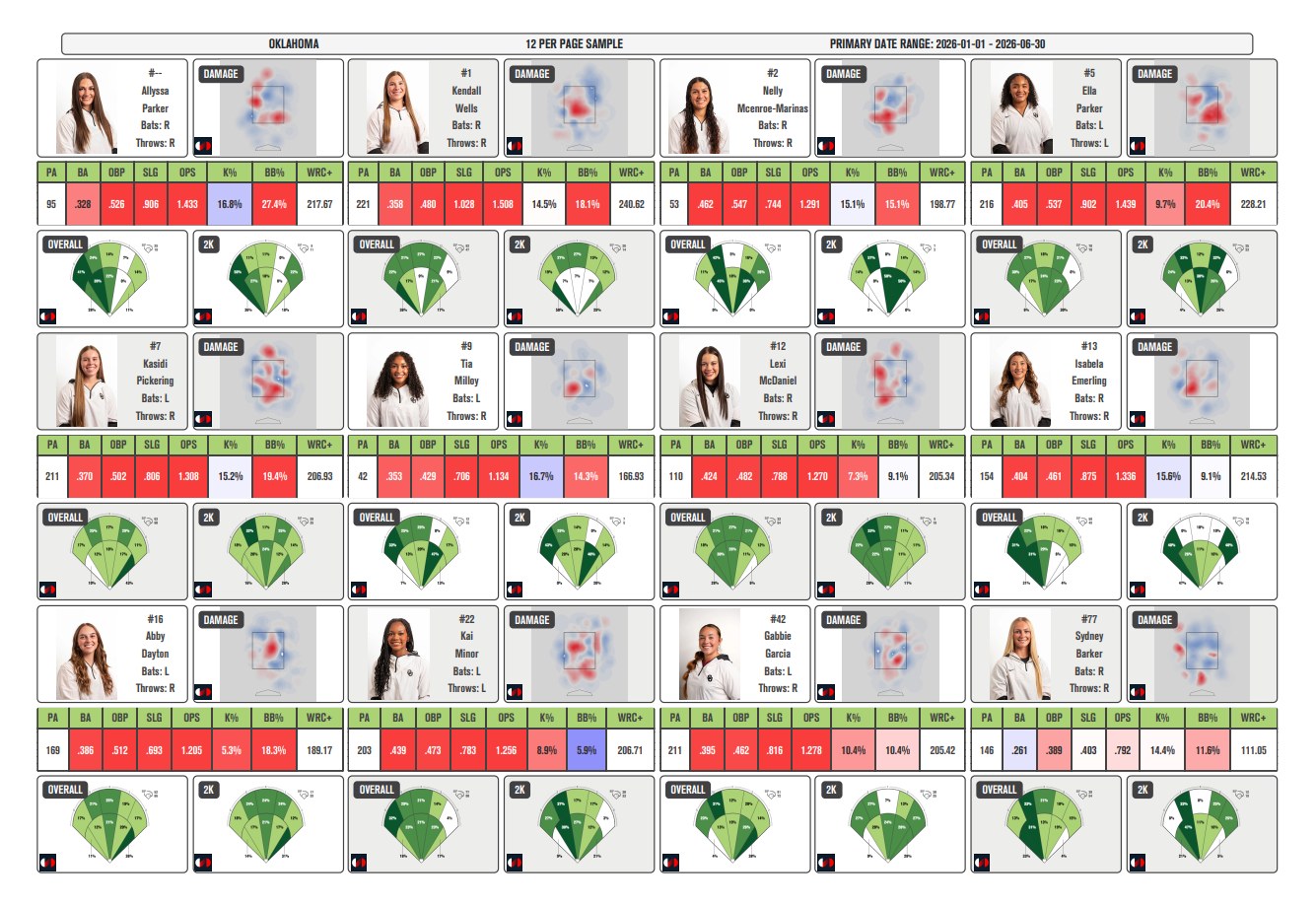
Every example below was built in 643 Studio. Each one is a template: build it once, then run it for every opponent all season. The tags show which data each one uses. Click any report to see it full size.
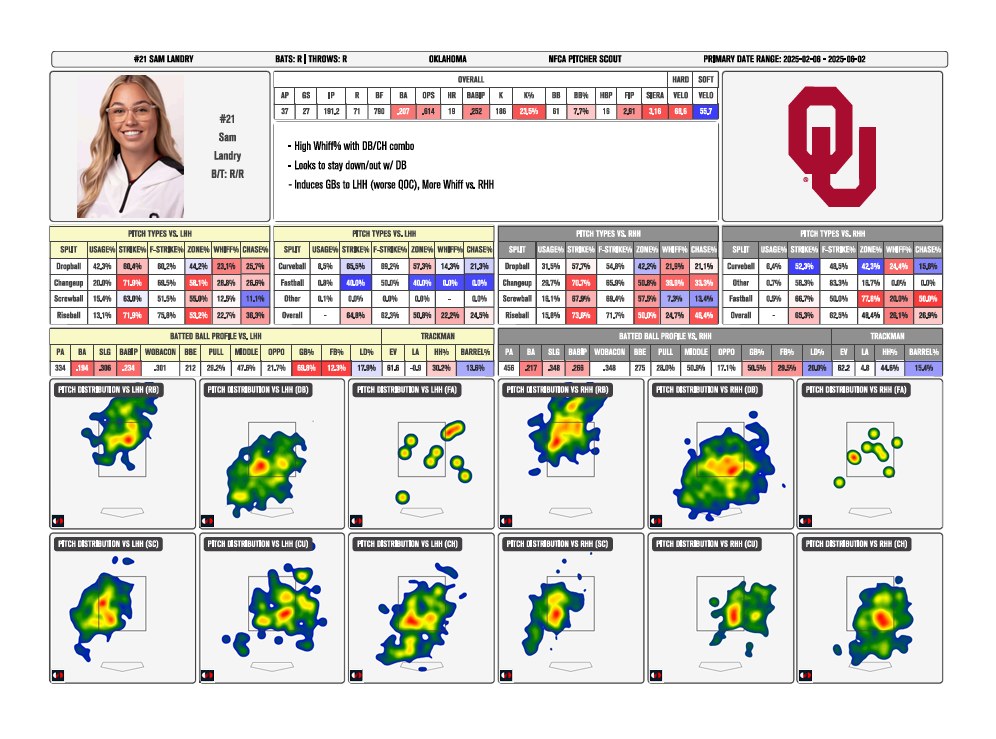
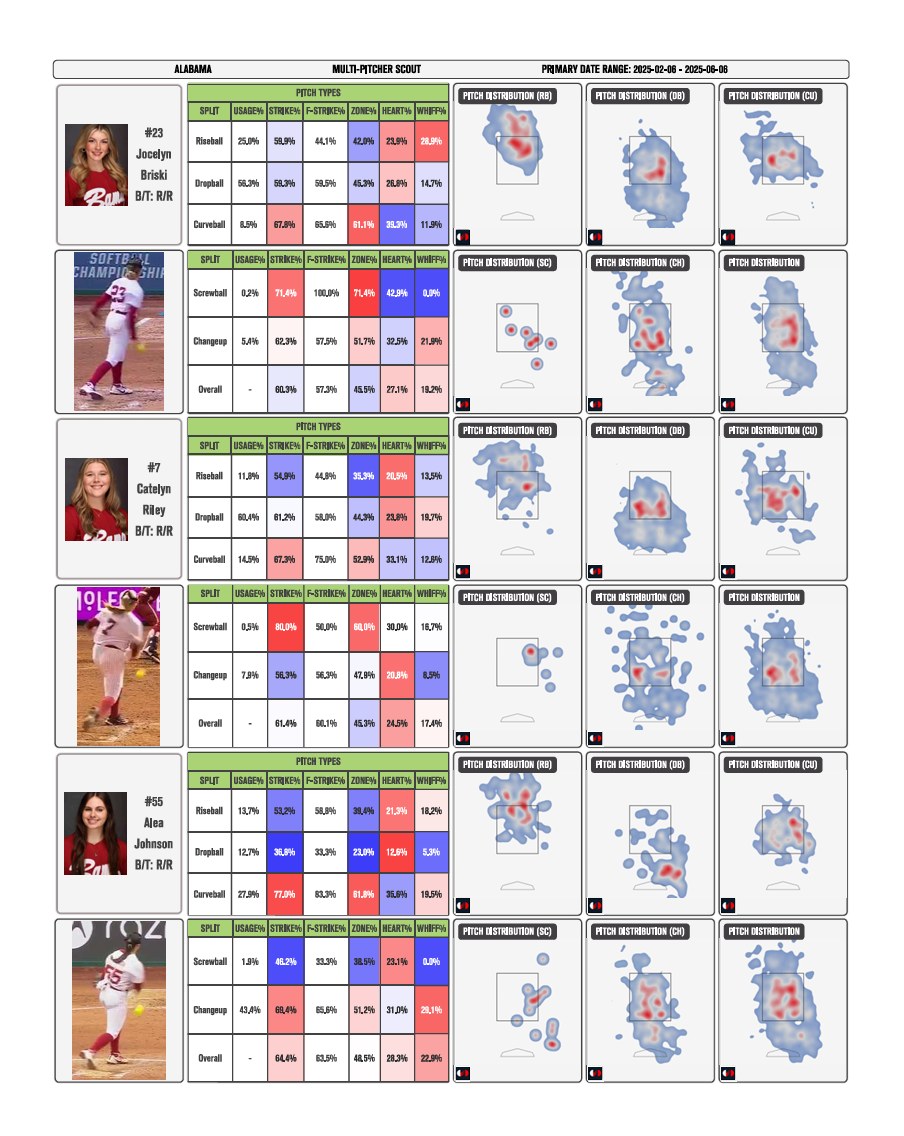
One player
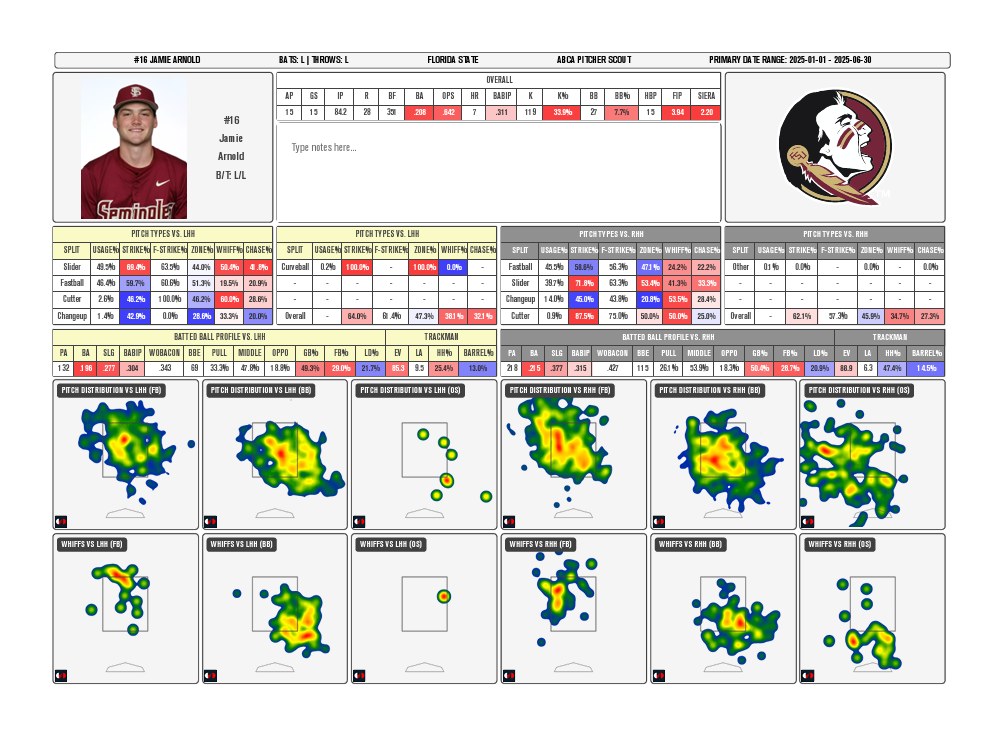
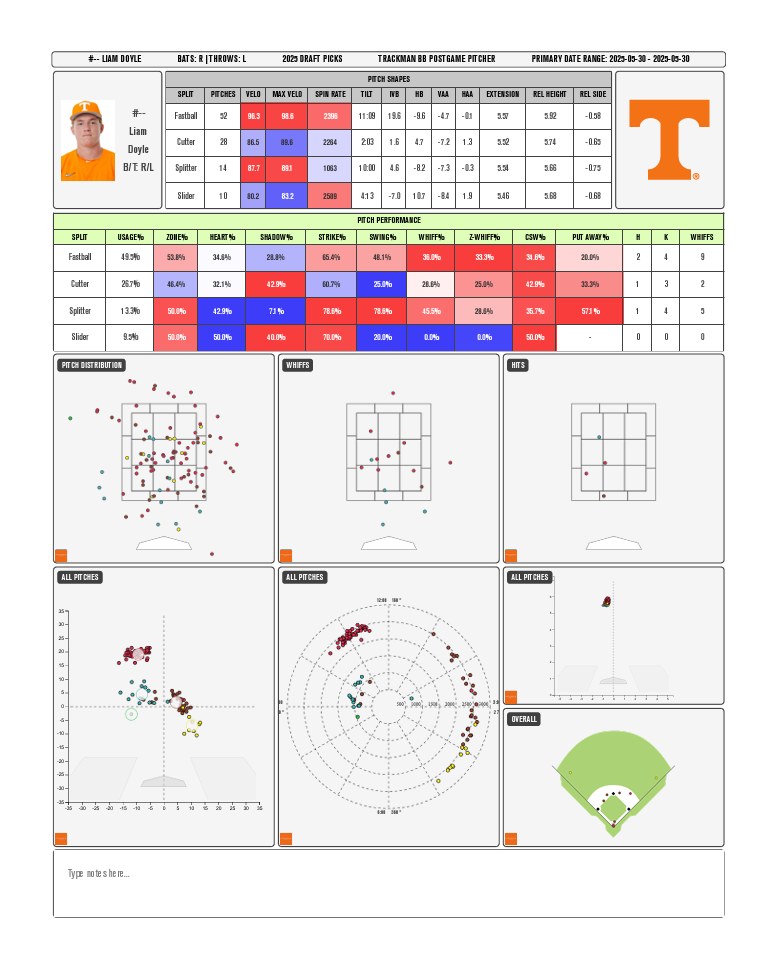
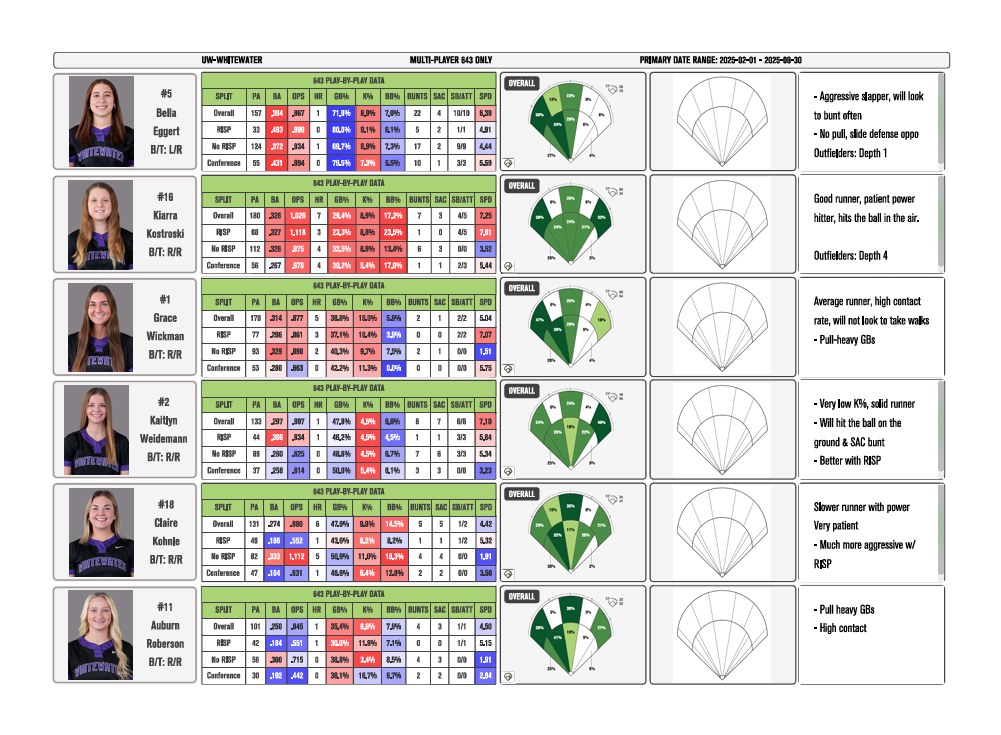
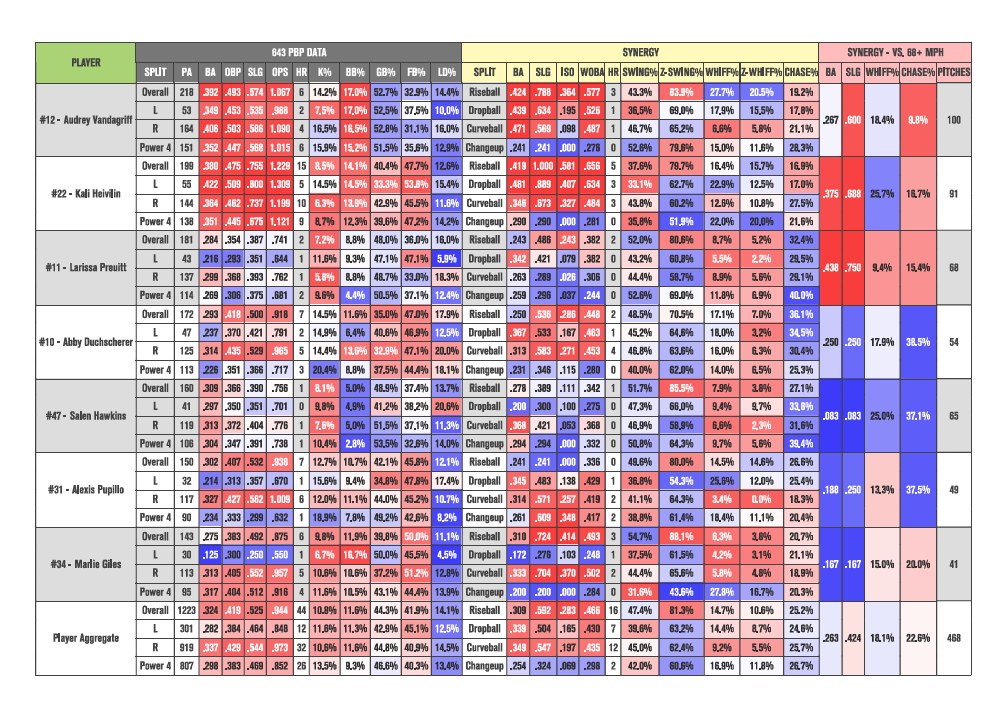
A lineup or a staff
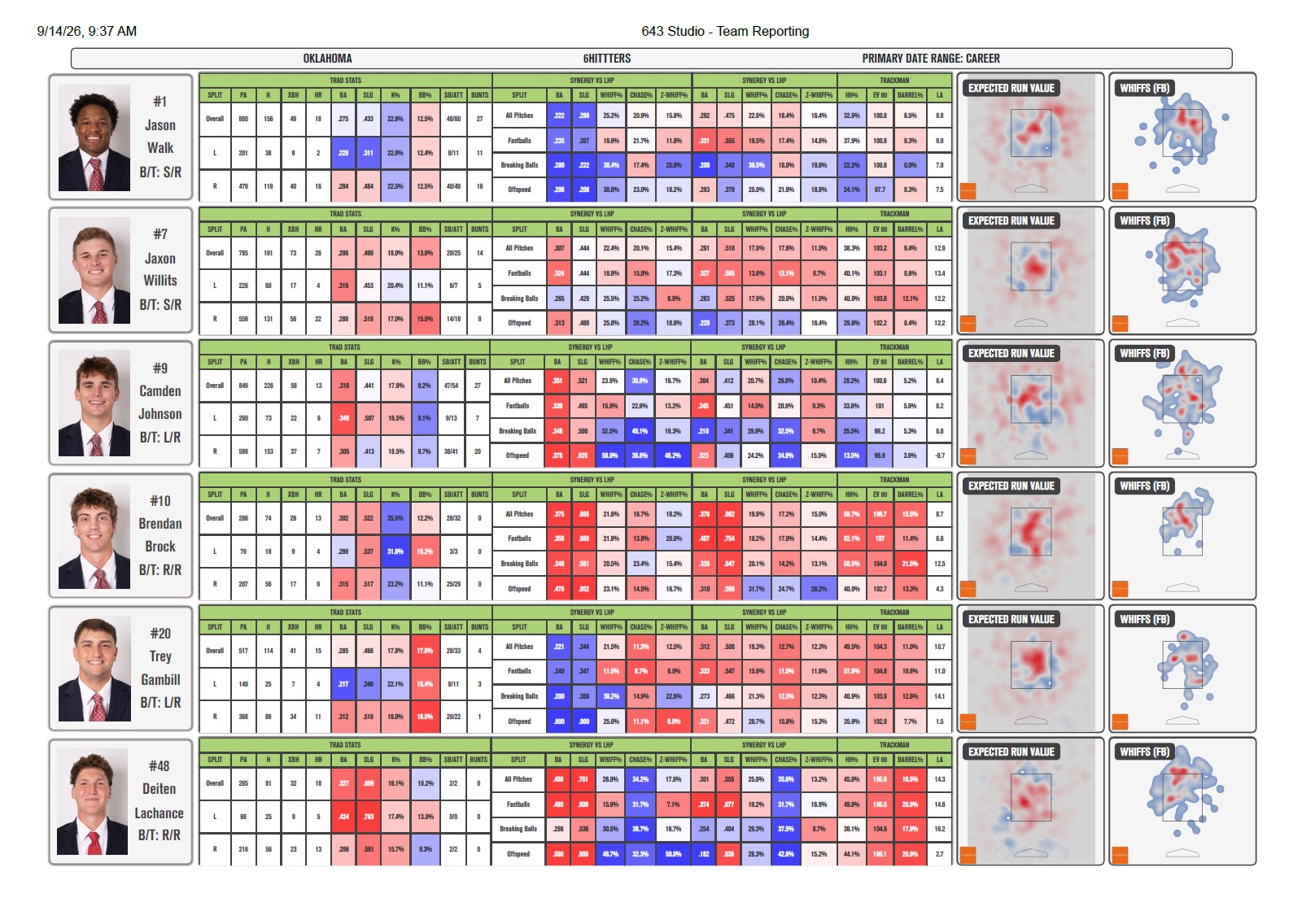
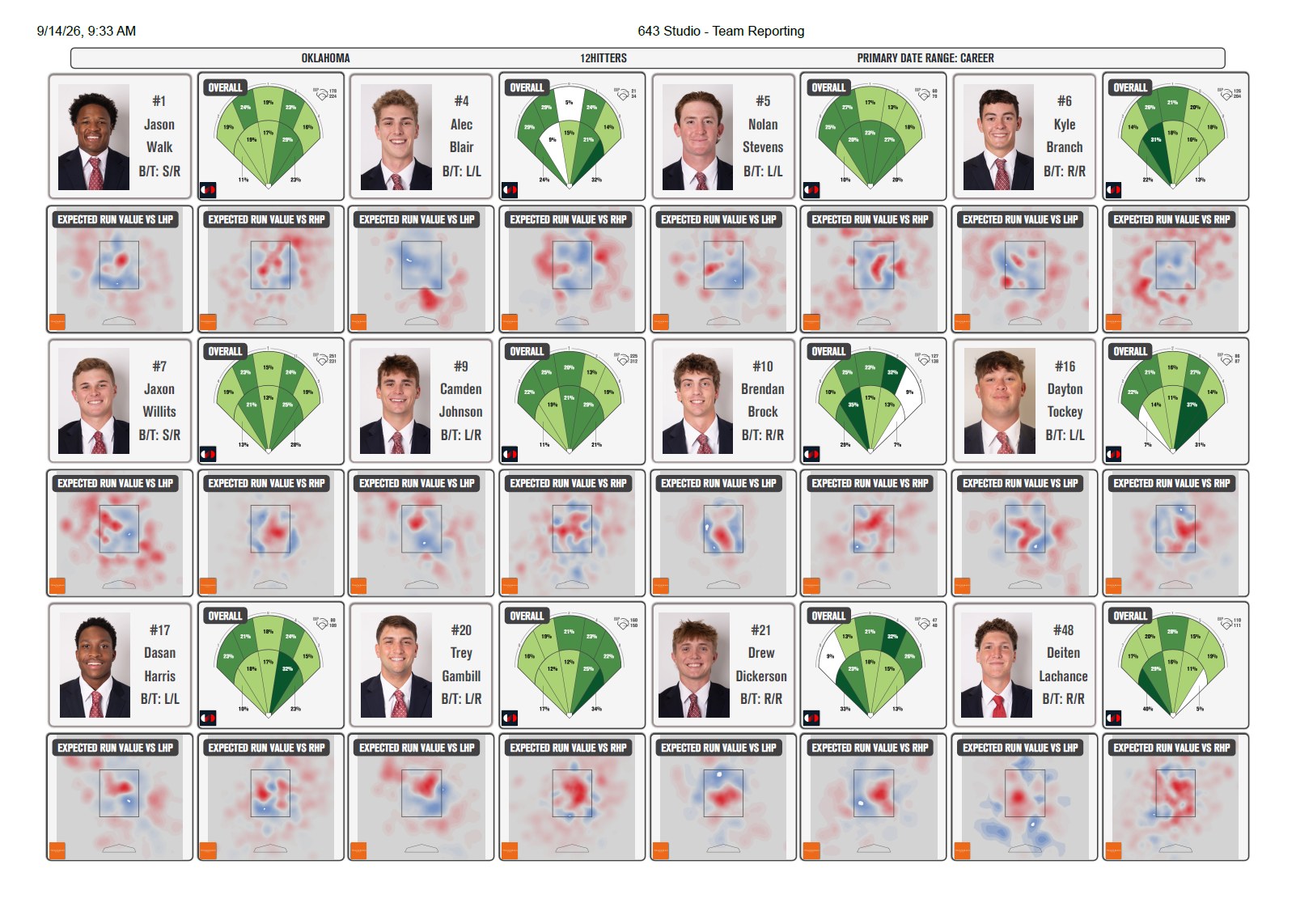
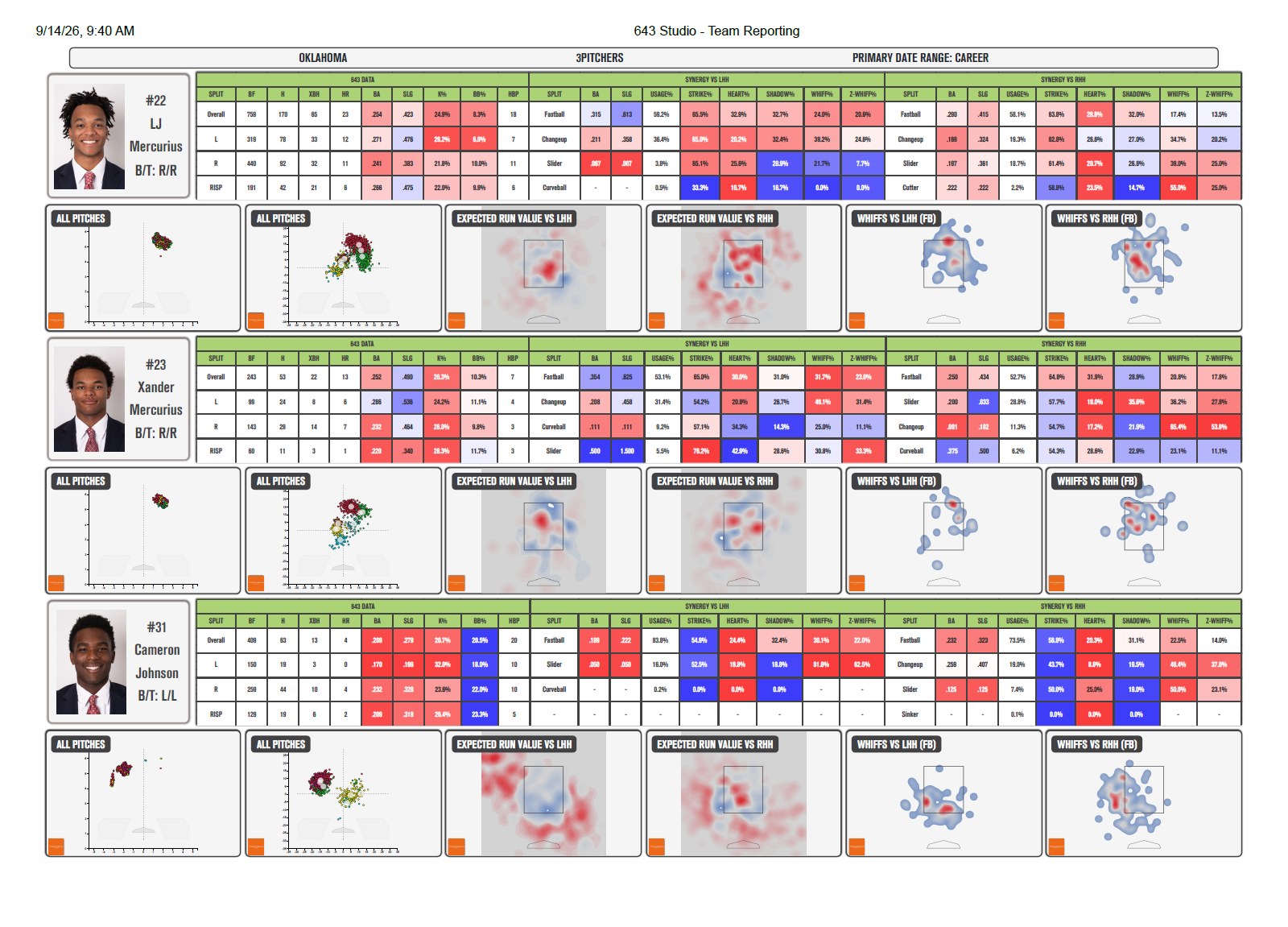
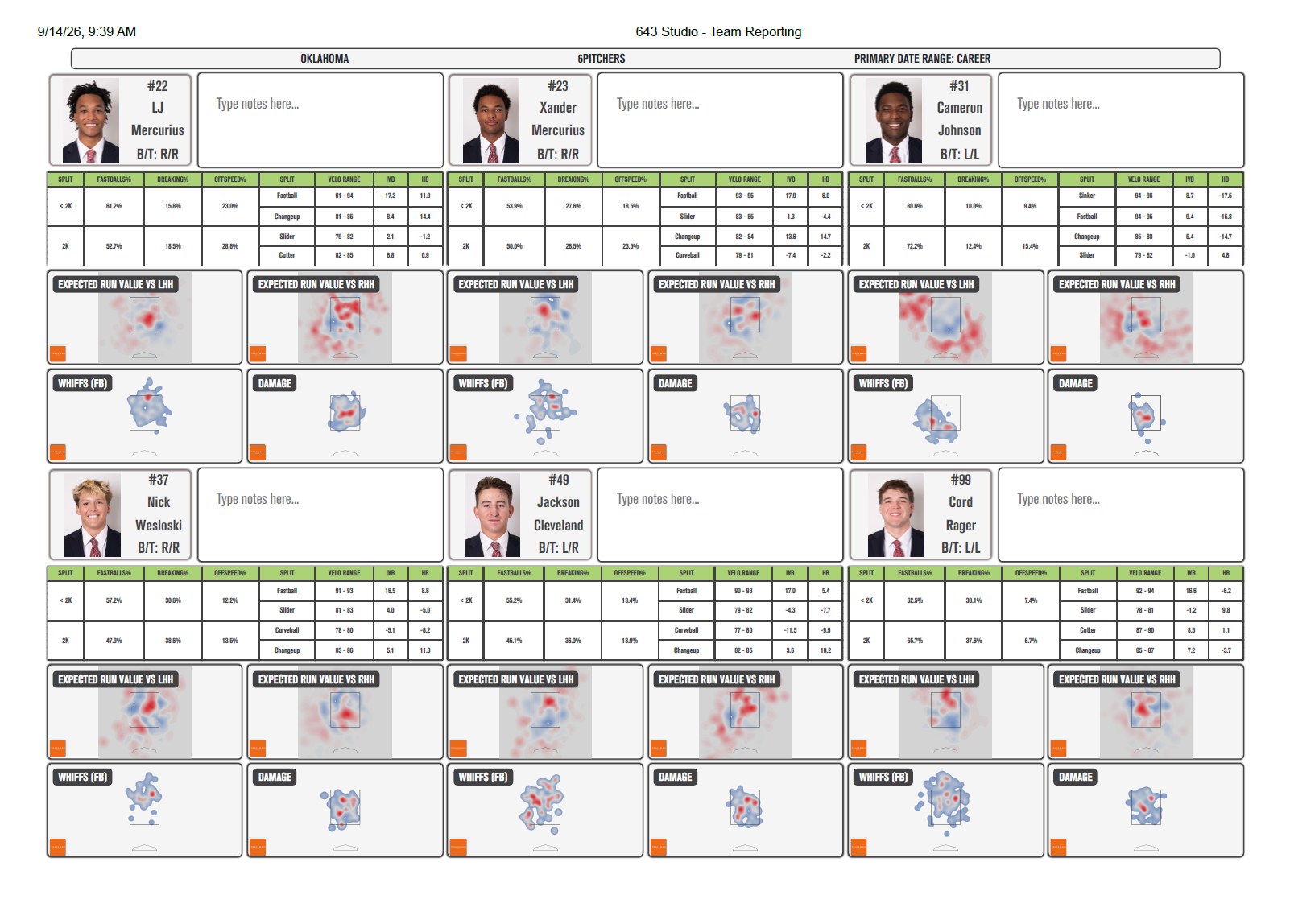
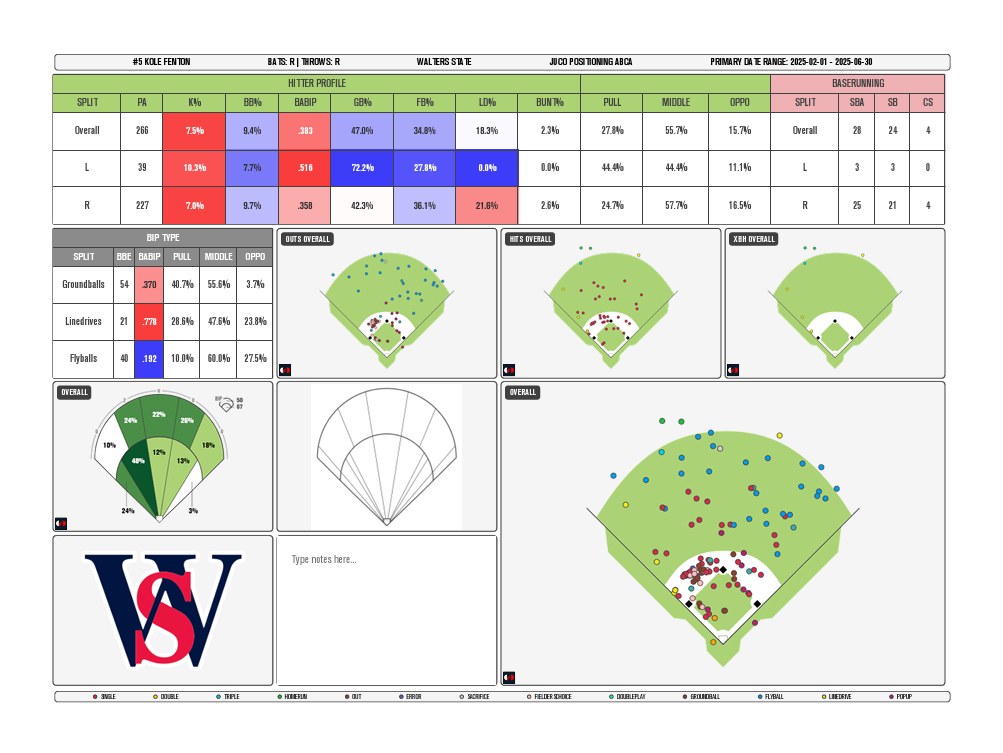
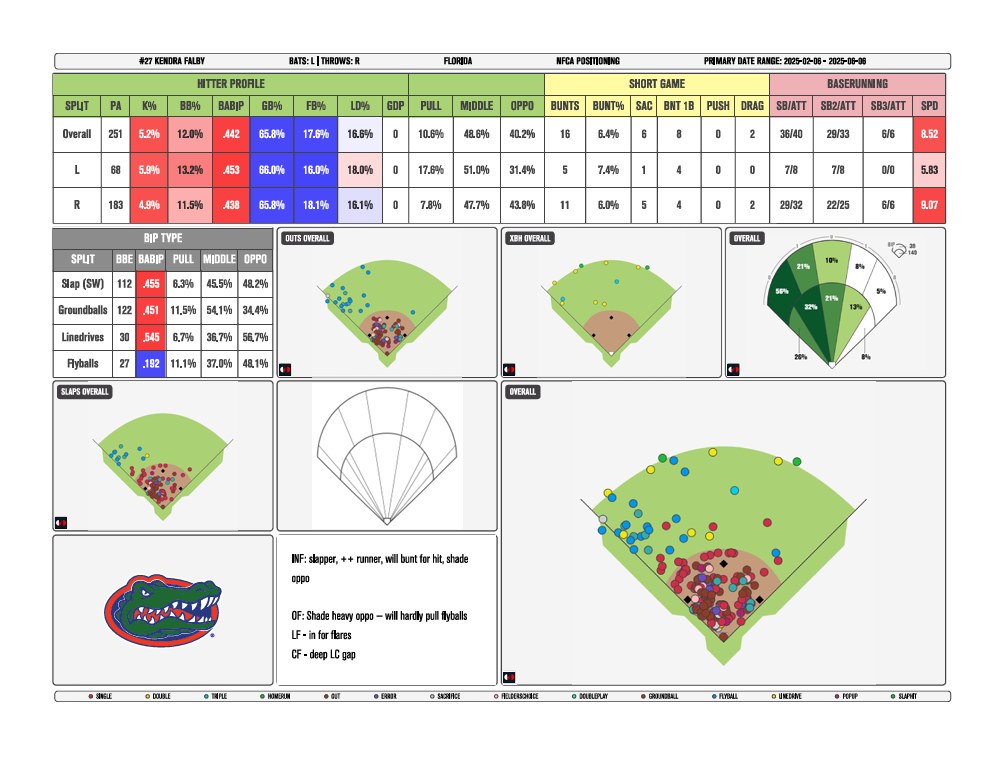
Defensive positioning
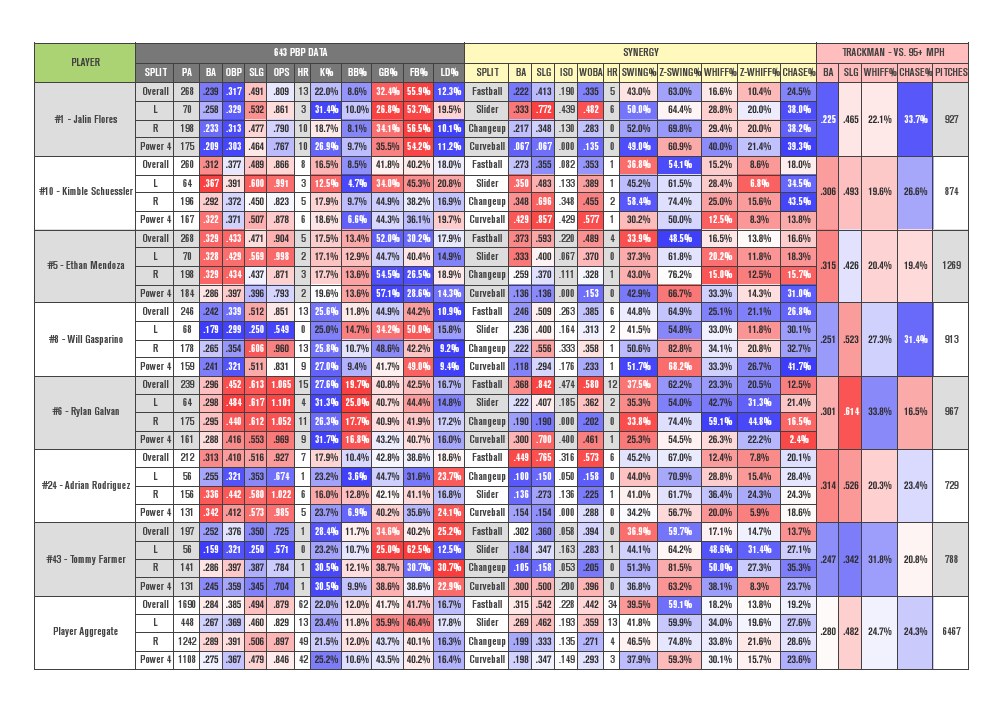
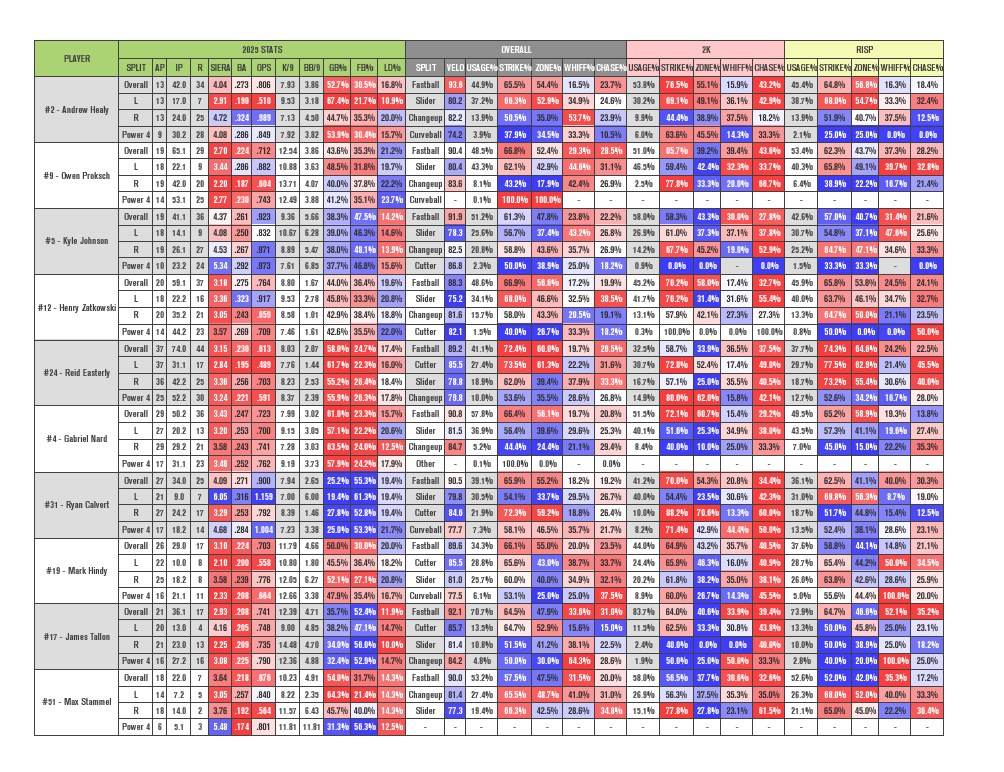
Custom tables
Custom player pages
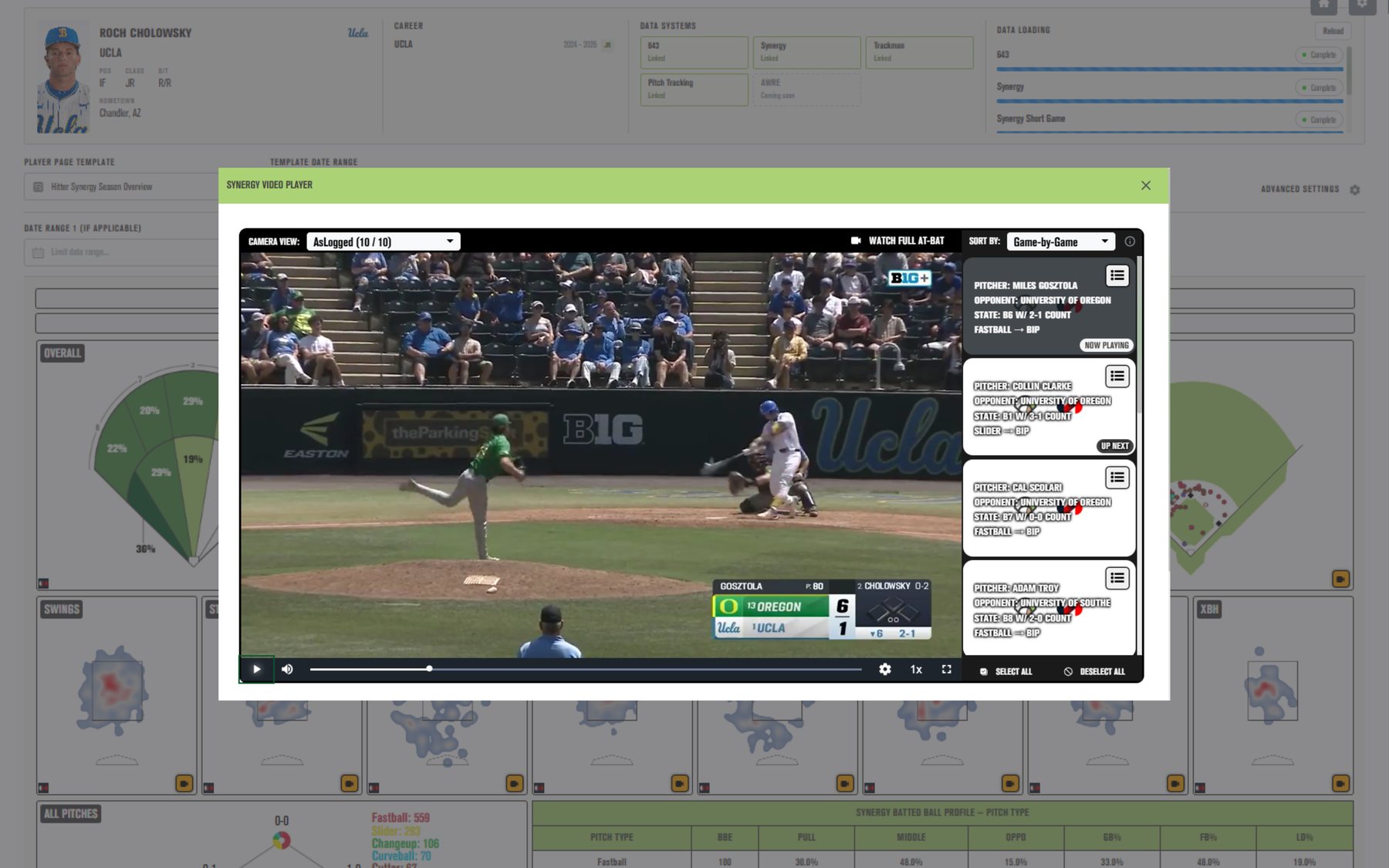
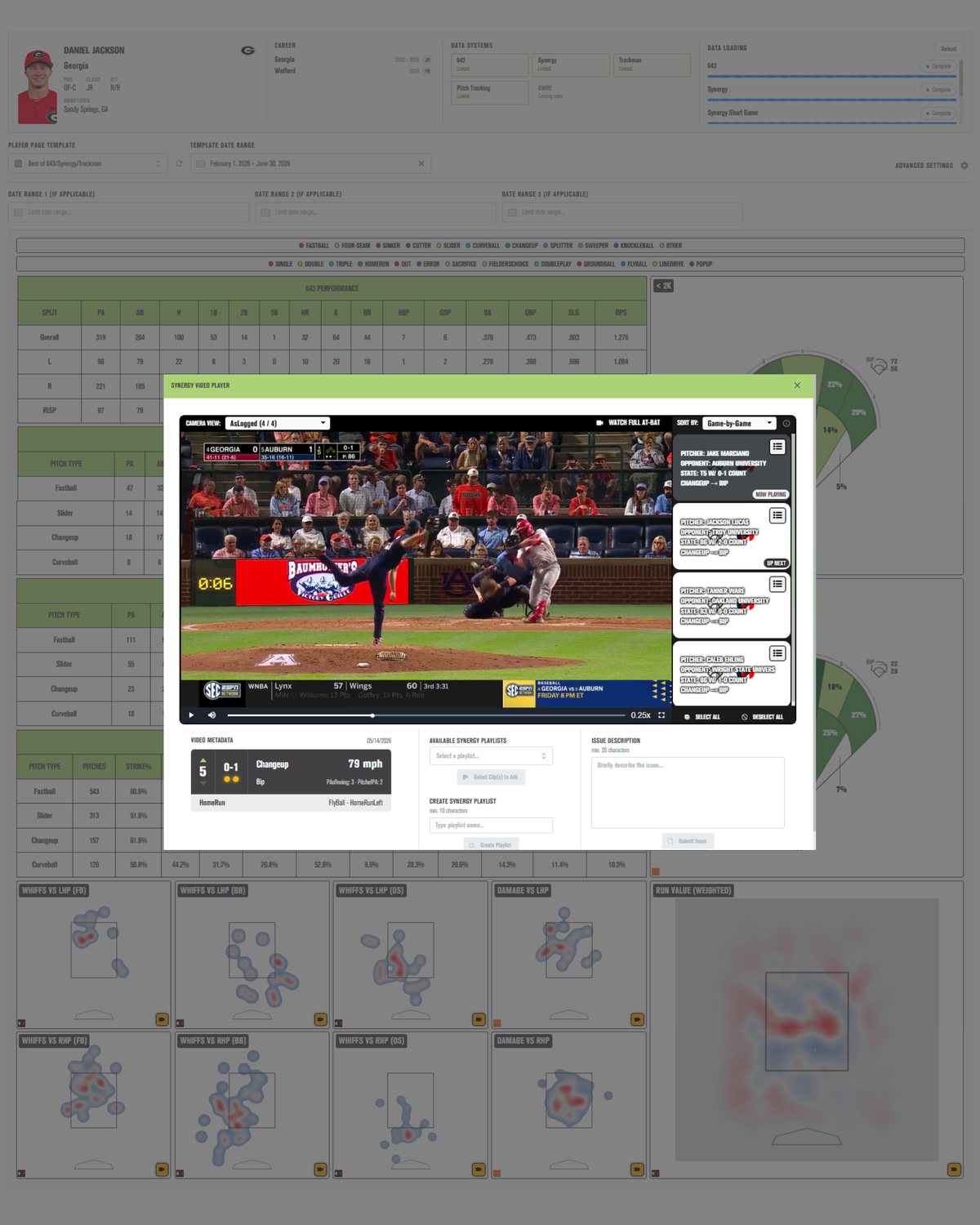
Build a page template once and open any player on it: stats, heatmaps, and spray charts from every data source, with the video one click away.
Saved notes
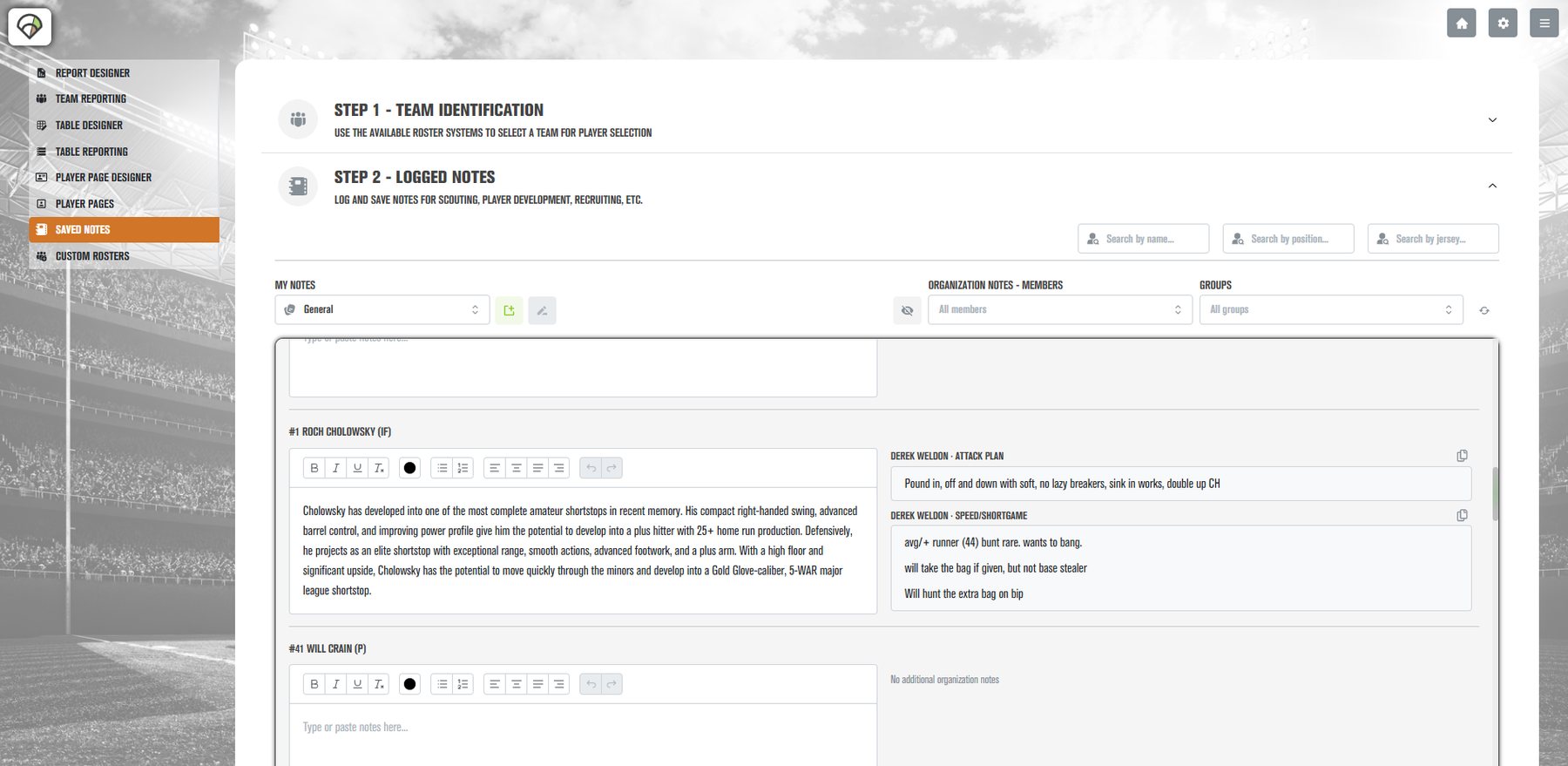
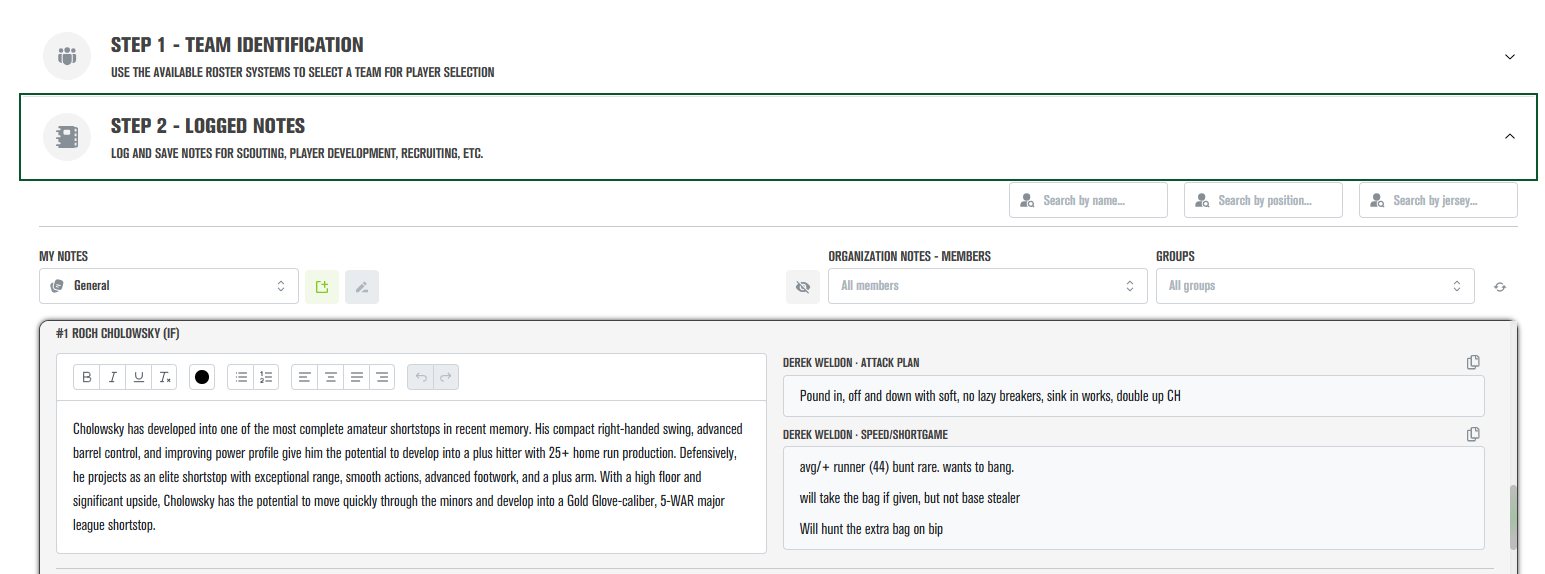
Log notes on any player for scouting, development, or recruiting, and see your staff's notes next to yours.
For JUCO programs
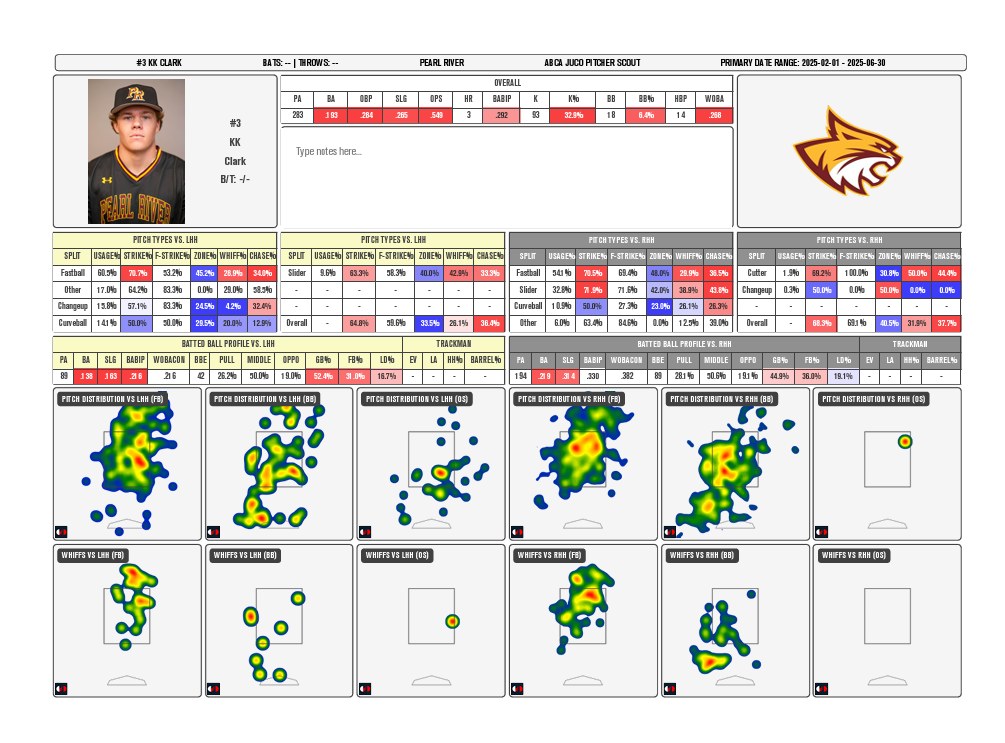
JUCO reports are built on Synergy data.
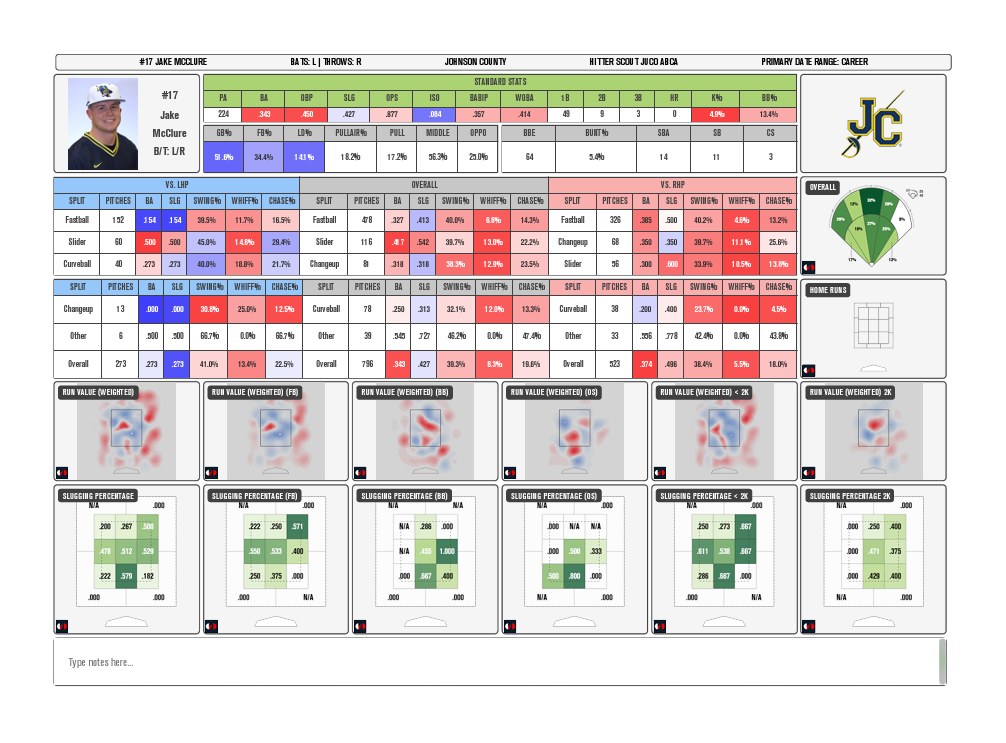
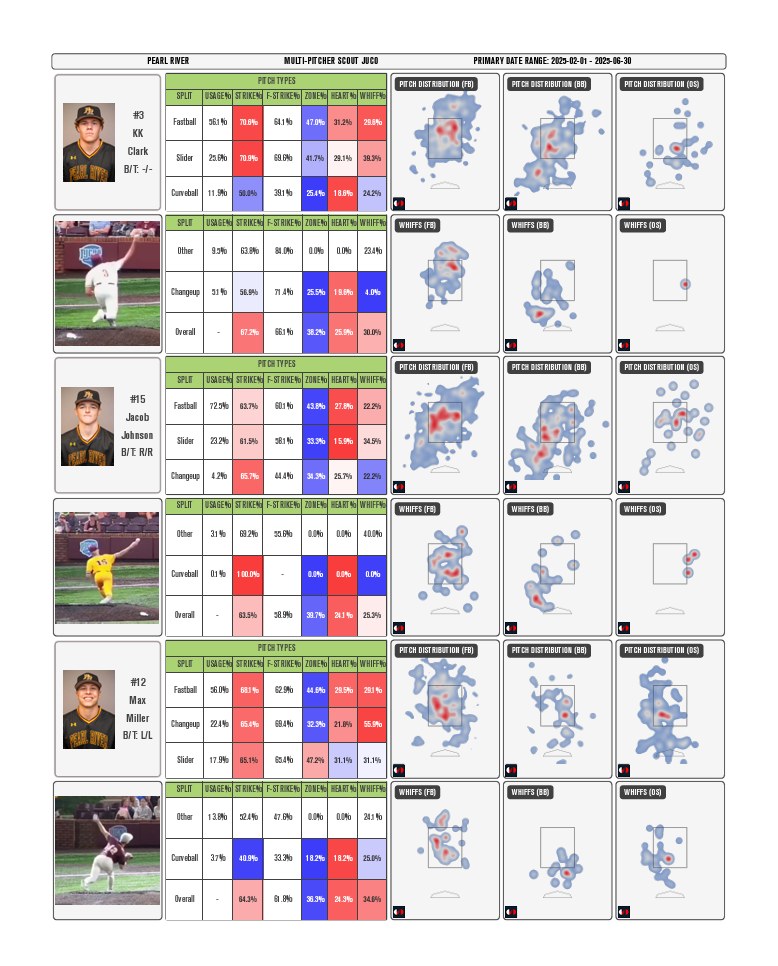
One player
A lineup or a staff
Defensive positioning
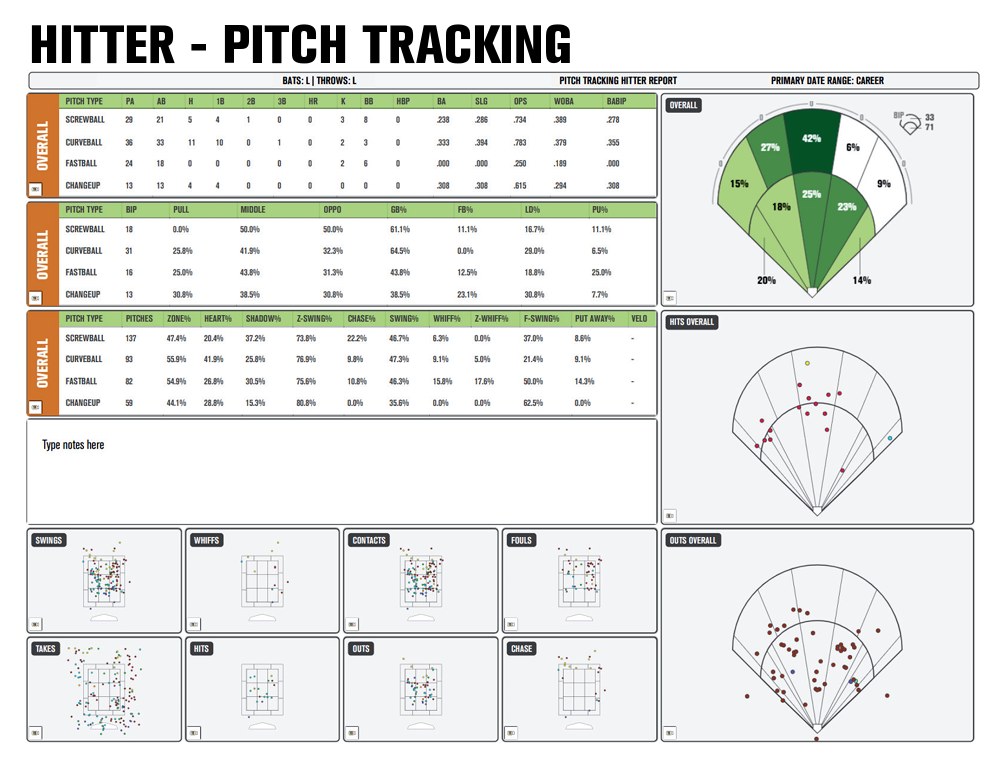
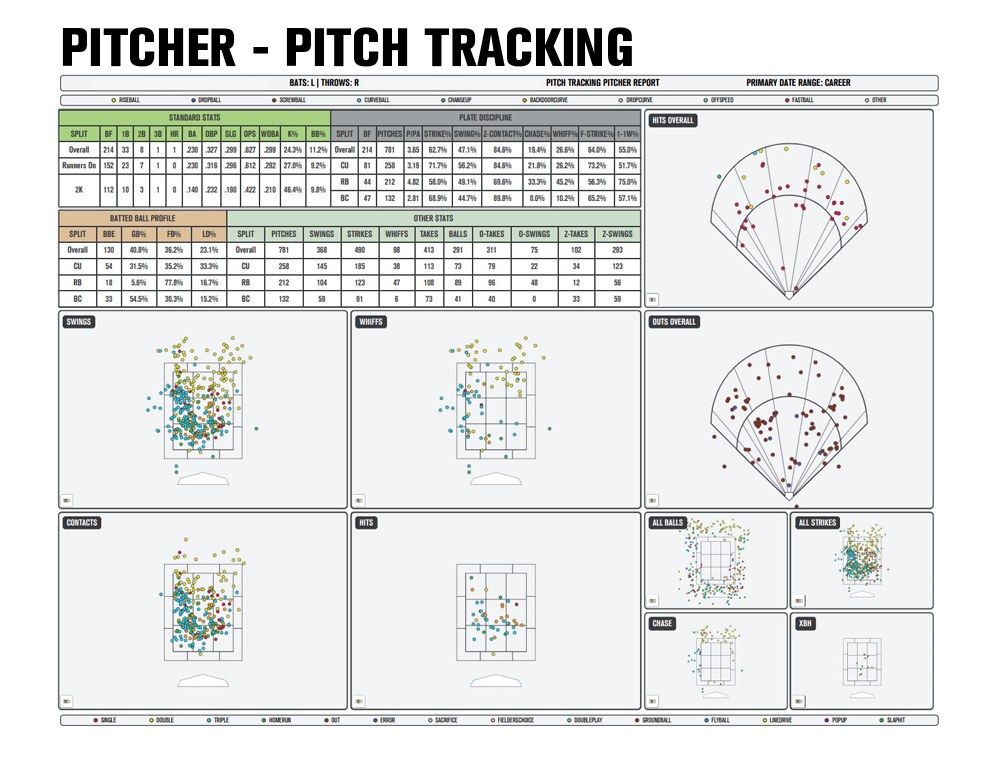
From your own pitch tracking
Custom tables
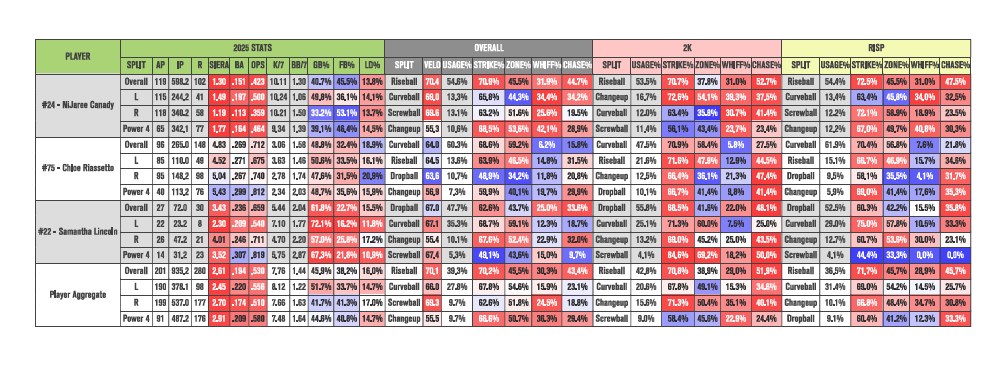
Eight tabs: design it, then run it.
Report Designer
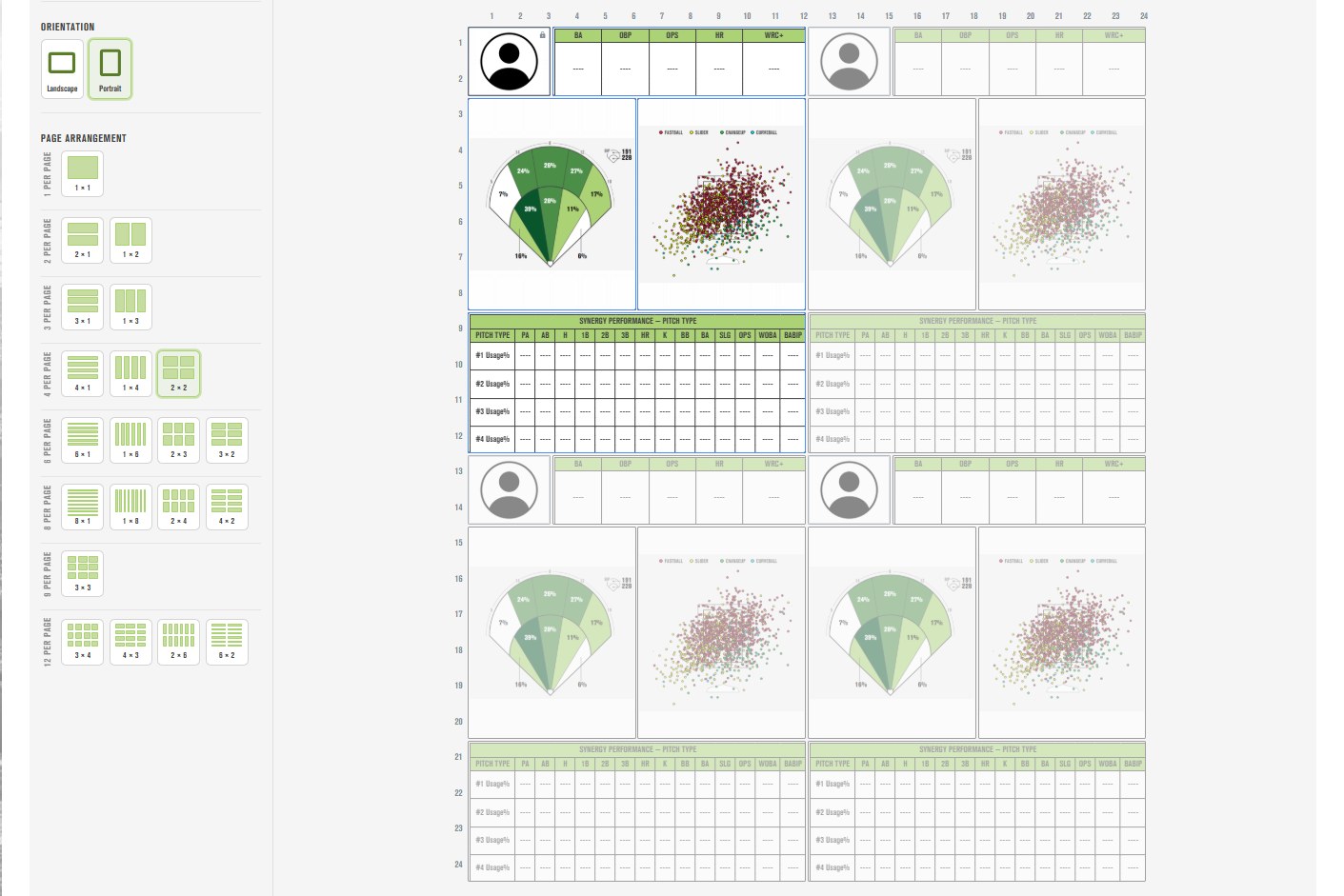
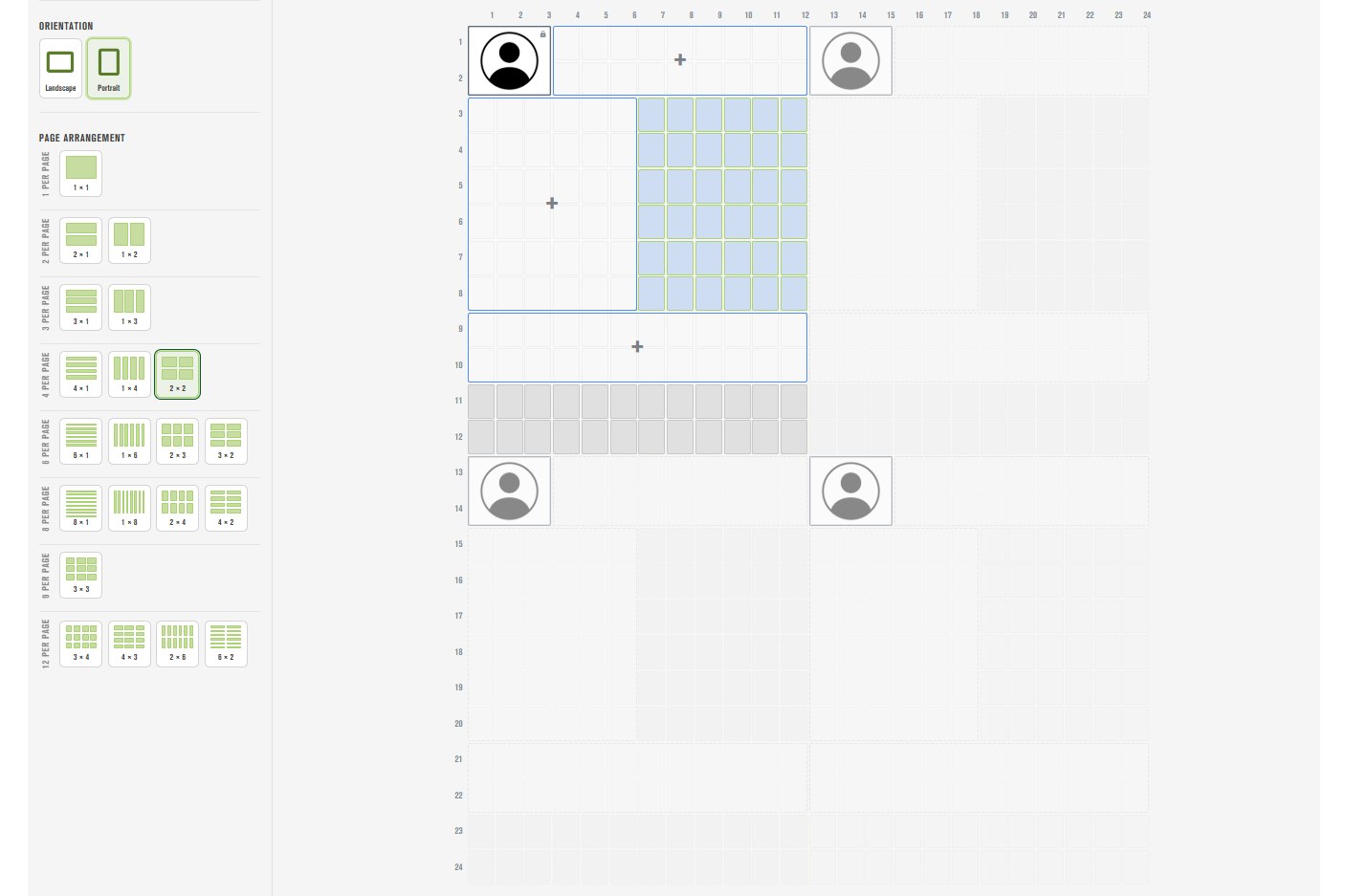
Design your custom reports in Report Designer. Choose a layout, with one player per page or several, or draw your own. Then drag in visuals like heatmaps and spray charts from any data source.
Apply split types, metrics, counts, or pitch subsets to each visual, and add pre-made tables, your custom tables, charts, logos, drop zones, and typed notes. Build as many templates as your staff needs, so your pitching coach and your hitting coach each have their own.
Team Reporting
Run your custom reports in Team Reporting. Pick the team, select the players, load the data, and generate any of your report templates, for your own team or your next opponent.
Print the reports for the dugout or share them with your staff.
Table Designer
Design your custom tables in Table Designer. Choose the stats (columns) and split types (partitions) to build a table group, then put play-by-play, Synergy, and Trackman table groups side by side in one table.
Custom tables can also go straight into your report templates in Report Designer.
Table Reporting
Run your custom tables in Table Reporting for any team or group of players. Click a cell to watch the video behind it, then print or share the table.
Player Page Designer
Design your custom player pages in Player Page Designer. Choose the stats, tables, heatmaps, and spray charts a page shows, from every data source your program has, and save it as a template.
Player Pages
Open your custom player pages in Player Pages. Pick a template and any player, and see their data on one page, with the video one click away.
Saved Notes
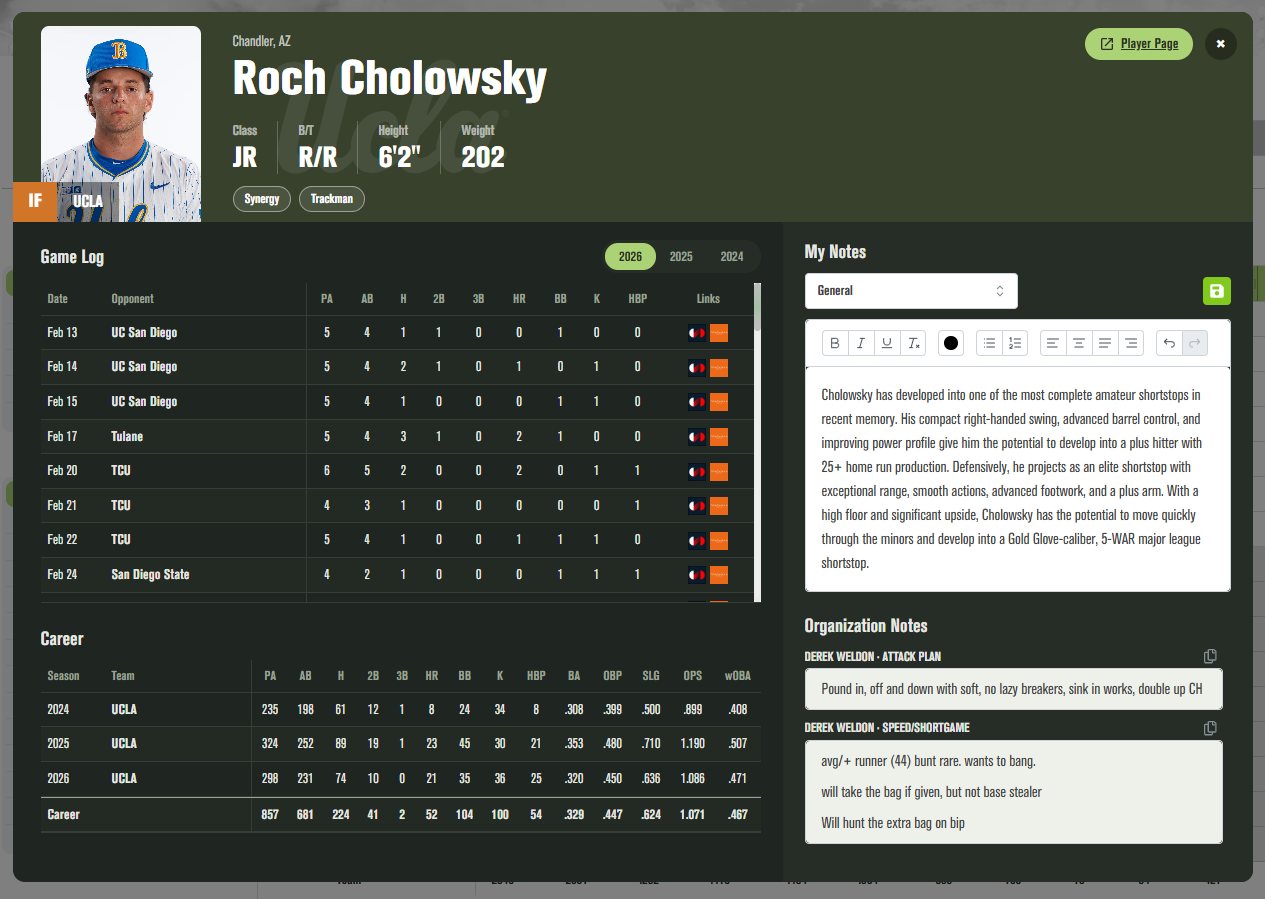
Create, edit, and view your notes on any player in Saved Notes, for scouting, player development, or recruiting. Your staff's notes sit next to yours, and they follow the player onto the player card.
Custom Rosters
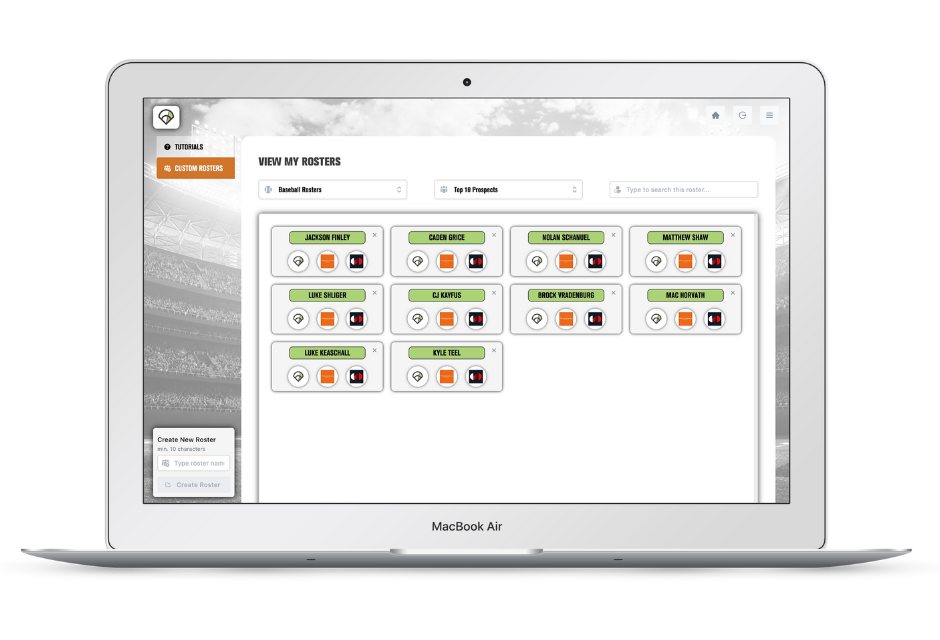
Create, edit, and view custom rosters in Custom Rosters. Put any players on a roster, like transfer portal targets, an all-conference team, or award candidates, then use it across 643 like any other team.
See what 643 looks like for your program.
Tell us your level of play and what data you're working with. We'll help you find the 643 solutions that fit your program.